
You send a prompt to an Large Language Model. You want a concise answer. Instead, the model starts rambling, hallucinating extra details, or repeating itself until it hits the maximum token limit. You pay for every single one of those useless tokens, and your application breaks because the output format is now garbage. This is known as runaway generation, and it’s a common headache for developers integrating AI into production systems.
The fix isn't always tweaking the temperature or rewriting your prompt. Sometimes, you need a hard brake. That brake is called a stop sequence. It’s a specific string of characters that tells the model, "Stop right here." Once the model generates this exact string, it halts immediately. No more tokens, no more cost, no more mess. If you’ve ever wondered why your API responses are too long or why your JSON parsers fail, stop sequences might be the missing piece in your engineering toolkit.
What Are Stop Sequences?
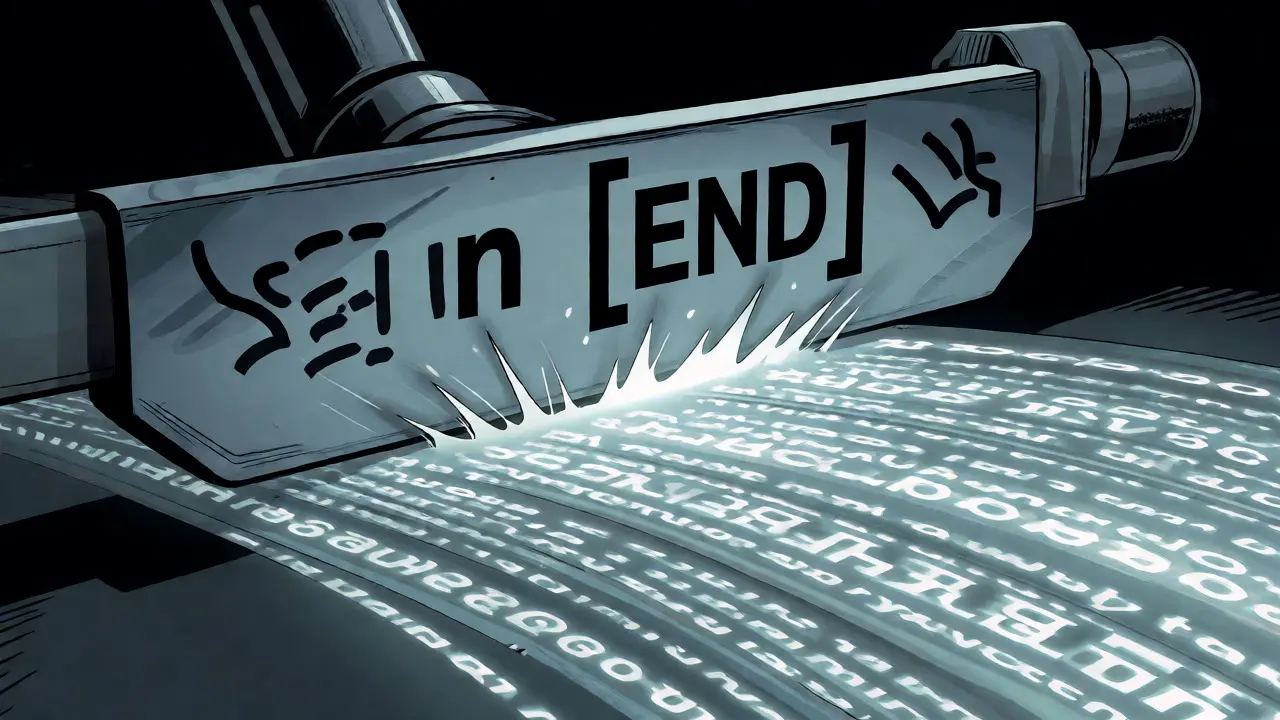
A stop sequence is a custom end-of-output marker defined by you, the developer. Think of it as a tripwire. As the language model generates text token by token, the system checks if the current output ends with any of the strings you specified in the `stop` parameter. If it finds a match, the generation loop breaks instantly.
Most implementations exclude the stop sequence itself from the final returned text. So if you set `"\n"` (a newline) as a stop sequence, the model stops generating when it tries to write a new line, but the returned string doesn’t include that trailing newline. This mimics the behavior of traditional End-of-Sequence (EOS) tokens used during training, but gives you dynamic control at inference time.
Why does this matter? Because models don't inherently know when they're "done" answering a question. They predict the next most likely token. Without explicit stopping conditions, they might continue generating related but unnecessary context, effectively drifting away from your core intent. Research on semantic drift shows that models often generate correct facts first, then start making things up as the output lengthens. Stopping early preserves accuracy.
How Stop Sequences Work Under the Hood
The mechanism is surprisingly simple but effective. During the inference phase, the model produces one token at a time. After each token is added to the buffer, the generation framework compares the tail of the generated text against your list of stop sequences.
- Check: Does the current output end with "STOP", "END", or ""?
- Action: If yes, break the loop. Discard the stop sequence from the final result (usually).
- Result: Return the text generated so far.
This process happens continuously until a stop condition is met or the `max_tokens` limit is reached. Note that stop sequences operate independently of sampling parameters like temperature or top_p. You can still use high creativity settings while strictly controlling where the output ends.
Implementing Stop Sequences Across Major APIs
Different providers handle stop sequences slightly differently. Here is how to configure them in the most popular platforms.
| Provider | Parameter Name | Input Format | Max Sequences |
|---|---|---|---|
| OpenAI | `stop` | String or Array of Strings | 4 |
| Anthropic | `stop_sequences` | Array of Strings | N/A |
| Google Gemini | `stopSequences` | Array of Strings | N/A |
| Hugging Face Transformers | `StoppingCriteria` | Custom Class Implementation | N/A |
With OpenAI, you can pass a single string or an array. For example, setting `stop=["\nUser:"]` ensures the model stops talking before it tries to simulate the user's next turn. Anthropic requires an array, even if you only have one stop sequence. Google’s Gemini also expects an array. Always check the documentation for your specific SDK version, as parameter names can change.
Practical Use Cases and Examples
Where do you actually use these? Here are three scenarios where stop sequences save the day.
1. Controlling List Length
Say you ask a model to generate a list of 10 Python libraries. Models love to over-deliver, giving you 15 or 20 items. You can force a cutoff by adding "11" as a stop sequence. When the model tries to generate the number "11" for the eleventh item, it stops. The output will contain exactly 10 items.
2. Structured Output Parsing
If you’re asking for XML or JSON, you want clean data. Instruct the model to wrap its response in `
3. Chat History Management
In chat applications, you often prepend previous messages to the prompt. If the model sees "Assistant:" in the history, it might try to continue the conversation beyond its current turn. By using "\nHuman:" or "\nUser:" as a stop sequence, you ensure the model only generates the assistant's reply, not a simulated back-and-forth dialogue.

Best Practices for Reliable Generation
Stop sequences are powerful, but they require careful planning. Here is how to avoid common pitfalls.
- Combine with Max Tokens: Always set a `max_tokens` limit slightly higher than your expected output. Stop sequences are precise; max tokens are a safety net. If your stop sequence fails to trigger due to a typo, the max token limit prevents infinite loops and unexpected costs.
- Be Specific: Avoid generic words like "the" or "and" as stop sequences. These appear frequently and will cut off sentences prematurely. Use unique markers like "###", "\nQ:", or "[END]".
- Test Edge Cases: What happens if the model generates the stop sequence inside a code block or a quoted string? Some advanced frameworks allow you to ignore stop sequences within certain contexts, but standard APIs usually treat them literally. Keep your prompts clear about formatting.
- Cost Efficiency: Remember that you are charged for all generated tokens, including those before the stop sequence triggers. If your stop sequence appears late in the generation, you still pay for the earlier tokens. Optimize your prompts to encourage earlier completion.
There is a trade-off between information quantity and factual accuracy. A study on semantic drift found that longer outputs often degrade in quality. By strategically placing stop sequences, you aren't just saving money; you are potentially improving the reliability of the information provided.
Troubleshooting Common Issues
If your stop sequences aren't working, check these areas:
- Whitespace Sensitivity: Is there a space before or after your stop sequence? "END" and " END" are different strings. Ensure your prompt formatting matches your stop sequence exactly.
- Tokenization Mismatch: Sometimes, a character like "!" might be tokenized separately from the preceding word. While most modern APIs handle string matching post-decoding, edge cases exist. Test with simple ASCII characters first.
- API Limits: Did you exceed the maximum number of stop sequences allowed? OpenAI, for instance, limits you to four. Passing five will cause an error.
Stop sequences are a fundamental tool for deterministic AI behavior. They bridge the gap between probabilistic generation and structured software requirements. Mastering them allows you to build robust, cost-effective, and predictable LLM applications.
Do stop sequences affect the model's training?
No, stop sequences are an inference-time feature. They do not alter the model's weights or training data. They simply instruct the generation algorithm to halt once a specific pattern is detected in the output stream.
Can I use multiple stop sequences in one request?
Yes, most major APIs support arrays of stop sequences. For example, OpenAI allows up to four distinct strings. The model will stop if it encounters any one of them.
Is the stop sequence included in the final output?
Typically, no. Most implementations strip the stop sequence from the returned text. However, this behavior can vary by library or API, so always verify with a test call.
What happens if the model never generates the stop sequence?
If the stop sequence is never triggered, the model continues generating until it reaches the `max_tokens` limit. This is why setting a reasonable max token count is crucial as a backup.
Are stop sequences better than prompting the model to stop?
Generally, yes. Prompting relies on the model following instructions, which is probabilistic. Stop sequences are mechanical constraints enforced by the inference engine, offering deterministic control.