
Imagine asking an AI assistant for help with a critical work project. It gives you a confident answer, but it’s wrong. You don’t know why it made that mistake, you can’t easily correct it, and you’re left wondering if you should trust the system again. This is the reality for many users of Generative AI, artificial intelligence systems capable of creating new content such as text, images, or code based on user prompts. The "black box" nature of these tools creates anxiety. Users need more than just smart algorithms; they need interfaces that build confidence through clarity.
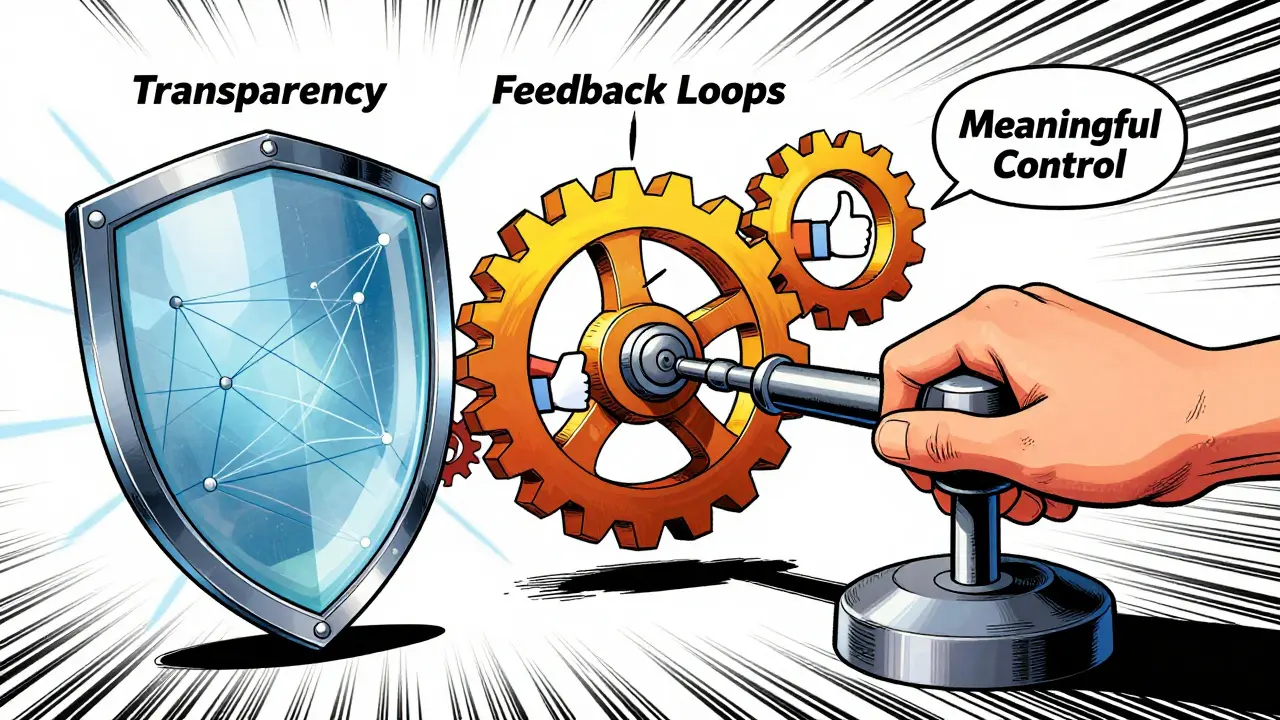
Trust is no longer a nice-to-have feature-it is the primary driver of adoption. A 2023 Salesforce study found that 85% of consumers consider trust the most important factor when interacting with AI. If your interface feels opaque or unpredictable, users will abandon it. Building this trust requires intentional design focused on three pillars: transparency about what the system can and cannot do, robust feedback loops that let users correct mistakes, and meaningful control over the output. This guide breaks down how to implement these principles effectively.
The Three Pillars of Trustworthy AI Design
To move beyond generic advice, we need to look at specific implementation patterns. Research from Carnegie Mellon University and industry leaders like Microsoft and Google between 2022 and 2024 established that trustworthy User Experience (UX), the overall experience a person has when interacting with a product or service, focusing on usability, accessibility, and pleasure. relies on addressing the unpredictability of generative models. Here is how each pillar works in practice.
1. Radical Transparency
Transparency isn't just about disclosing that AI is involved. It’s about explaining how and why. Users need to understand the system’s capabilities and limitations before they engage deeply.
- Clear Identity Markers: Use explicit labels like “As an AI, I can…” or “This is a generated response.” A September 2025 Smashing Magazine guide noted that 92% of users reported increased trust when these indicators were present. Don’t hide the fact that a machine is generating the content.
- Source Citations: When providing factual information, always show where the data came from. Google’s Gemini implementation excels here with its “AI Overview” feature, which cites sources for 100% of factual claims. However, be careful-over-citing without context can overwhelm users.
- Explainability (XAI): Provide human-understandable rationales. Instead of just recommending a document, say, “Because you frequently read reports on Q3 sales, I’m recommending this summary.” Microsoft’s April 2024 Copilot UX guidelines emphasize this causal link to build mental models.
2. Robust Feedback Mechanisms
AI makes mistakes. Hallucinations are inevitable. The difference between a frustrating tool and a trusted partner is how the system handles errors. Feedback loops must be easy, immediate, and visible.
- Humble Acknowledgment: When the AI fails, it should admit it gracefully. Phrases like “My apologies, I misunderstood that request” reduce defensiveness.
- Easy Correction Paths: Prominent thumbs up/down buttons are standard, but they aren’t enough. Users need to edit the output directly. Salesforce’s internal testing in 2024 showed that including a clear path to correction reduced user frustration by 58%.
- Confirmation of Learning: Close the loop. Tell the user, “Thank you, I’m learning from your correction.” This confirms their input has value and improves future interactions.
3. Meaningful User Control
Users feel anxious when they feel powerless against an algorithm. Giving them the reins restores agency. According to Microsoft’s Chief Design Officer Elizabeth Semi, users complete complex tasks 3.2 times faster when they maintain ultimate decision authority.
- Adjustable Confidence Thresholds: Allow users to set how conservative or creative they want the AI to be. Atlassian’s Jira AI allows users to adjust the confidence threshold for suggestions, preventing project-derailing misinterpretations.
- Data Source Selection: Let users choose which documents or databases the AI searches. This prevents the model from pulling irrelevant or outdated information.
- Output Modification: Enable granular editing. Users should be able to tweak tone, length, and format without regenerating the entire response.
Comparing Industry Approaches: What Works?
Not all AI implementations are created equal. A January 2025 UX Collective benchmark study of 15 major AI products revealed significant gaps in how companies handle trust. Here is how some leading platforms stack up:
| Platform | Strengths | Weaknesses | Trust Rating (Gartner/UX Collective) |
|---|---|---|---|
| Microsoft Copilot | Strong “Human-in-Control” philosophy; avoids anthropomorphism | Complexity can overwhelm non-technical users | 4.3/5 (Enterprise) |
| Google Gemini | Excellent source citation and transparency | Lower user control metrics (23% below competitors) | High Transparency Score |
| Salesforce Einstein | Superior feedback mechanisms (“Explain This” button) | Steep learning curve for full customization | High Confidence Boost (+39%) |
| Meta AI | Conversational fluency | Inconsistent disclosure practices; low transparency | 2.8/5 |
A key takeaway from this comparison is the danger of anthropomorphism. Interfaces that use human-like avatars or overly friendly language consistently underperform. Trust scores drop by 31% when the AI tries too hard to be “human,” as verified across 12 enterprise deployments in Salesforce’s 2024 research. Users want honesty, not a fake friend.
Expert Insights: Navigating Imperfection
Designing for AI means designing for failure. Dr. Kate Darling, MIT Media Lab research scientist, argues that “designing for imperfection is not about covering up AI limitations but creating pathways for users to navigate them productively.” Her March 2025 ACM keynote highlighted that showing confidence levels (e.g., “75% certain”) increased appropriate reliance by 44%.
However, there is a balance. Stanford’s Dr. Fei-Fei Li warned in her June 2025 AI Index Report that over-explaining can backfire. When technical details exceed user expertise, trust actually decreases by 22%. The solution? Progressive disclosure. Show basic explanations by default, but allow power users to dive deeper into the rationale if they choose. This approach maintained 89% engagement in Microsoft’s research.
Dr. Timnit Gebru, founder of the Distributed AI Research Institute, adds another layer: transparency about training data. In her April 2025 testimony to the EU AI Office, she stated that 78% of bias issues stem from undisclosed data limitations. If you don’t tell users what the AI was trained on, you can’t expect them to trust its outputs, especially in sensitive fields like healthcare or finance.
Implementation Checklist for Designers
If you are starting to integrate these principles into your product, here is a practical roadmap. The learning curve for designers adopting these standards averages 8-12 weeks, according to Smashing Magazine’s 2025 training data. Follow these steps to get started:
- Map User Mental Models: Conduct at least 15 contextual interviews. Understand what users think the AI can and cannot do. Misaligned expectations are the root cause of distrust.
- Define Capability Boundaries: Create a list of 50+ edge-case scenarios. Where does the AI fail? Document these explicitly so you can design fallback behaviors.
- Prototype Feedback Loops: Test at least three fidelity levels of feedback mechanisms. Start with simple thumbs up/down, then add text corrections, and finally, preference tuning.
- Establish Error Handling Protocols: Cover the 12 most common failure modes (e.g., hallucination, refusal, ambiguity). Ensure each has a distinct, humble UI response.
- Implement Progressive Disclosure: Keep the initial interface clean. Hide complex explainability features behind “Why did you say this?” toggles to avoid cognitive overload.

Regulatory Pressures and Future Trends
The landscape is shifting fast. The EU AI Act’s March 2025 enforcement mandates human-in-the-loop controls and transparency measures for high-risk AI systems, affecting 78% of enterprise generative AI deployments. Companies that ignore these requirements face legal risks and reputational damage.
Looking ahead, dynamic trust calibration is emerging. Salesforce’s Q1 2025 research showed that systems adjusting transparency levels based on user expertise increased appropriate reliance by 52%. Imagine an AI that speaks simply to a novice marketer but provides detailed statistical reasoning to a data scientist. This personalization of trust signals will likely become the industry standard by 2027.
Furthermore, the W3C’s April 2025 draft standard for “AI Transparency Markup” aims to create machine-readable indicators for AI-generated content. This could become mandatory for public-facing AI under proposed US legislation, making semantic markup a critical skill for frontend developers.
Conclusion: Trust is a Feature, Not a Bug
Building trustworthy generative AI UX is not optional. It is the core differentiator in a crowded market. By prioritizing transparency, empowering users with control, and creating seamless feedback loops, you transform anxiety into confidence. Remember, users don’t need an AI that pretends to be perfect. They need one that is honest about its limits and easy to correct when it stumbles.
What is the most important factor in building trust with Generative AI?
According to a 2023 Salesforce study, 85% of consumers cite trust as the most important factor. This trust is built primarily through transparency about the system's capabilities and limitations, ensuring users understand when they are interacting with an AI.
Should I use anthropomorphic elements (like avatars) in my AI interface?
No. Research from Salesforce (2024) shows that anthropomorphized interfaces result in trust scores 31% lower than those that maintain a clear machine identity. Users prefer honesty over simulated friendship.
How can I handle AI errors without losing user trust?
Use a three-step error handling protocol: 1) Humble acknowledgment (e.g., “I misunderstood”), 2) Easy correction paths (prominent edit buttons), and 3) Confirmation of learning (“Thanks, I’m updating my model”). This reduces frustration by 58%.
What is progressive disclosure in the context of AI UX?
Progressive disclosure involves showing basic explanations by default while hiding complex technical details behind optional toggles. This prevents overwhelming non-technical users while still providing depth for experts, maintaining 89% engagement rates.
Are there regulatory requirements for trustworthy AI design?
Yes. The EU AI Act, enforced in March 2025, requires high-risk AI systems to implement human-in-the-loop controls and transparency measures. Additionally, the W3C is drafting standards for AI Transparency Markup expected to become mandatory by 2027.