
Ever tried to debug a LLM agent pipeline that suddenly started hallucinating in step four of a seven-step workflow? It’s a nightmare. You have no idea if the failure came from the initial prompt, a bad tool call, or the final synthesis. That chaos is exactly why we need structure. If you’re building anything more complex than a simple chatbot, you are already fighting entropy. The solution isn't just better prompts; it's explicit architecture. We need to treat our agents like software systems, not magic boxes. This means using state diagrams to map out every possible path and orchestrators to enforce those paths.
The Problem with Monolithic Agents
Let’s be honest: the "do-everything" agent is a trap. When you ask one large language model to research, plan, code, and review all at once, you lose control. You can’t isolate errors. You can’t swap out components. You can’t scale specific parts of the workflow. Think of it like trying to fix a car while driving it blindfolded. You know something is wrong, but you don’t know which part broke.
This is where the Pipeline of Agents pattern saves you. Instead of one giant brain, you build a chain of specialists. One agent handles data extraction. Another handles reasoning. A third handles formatting. Each agent has a single responsibility. They pass data sequentially. Agent N finishes its job, cleans up its output, and hands it to Agent N+1. This isolation makes debugging trivial. If the summary is wrong, you look at the summarizer. If the data is missing, you look at the extractor. Simple.
But here’s the catch: sequential chains are rigid. What if you need to loop back? What if an error occurs mid-pipeline? What if you need conditional branching based on the quality of the previous step? A simple list of steps can’t handle that complexity. You need a graph. You need states. You need an orchestrator that understands transitions, not just sequences.
Why State Diagrams Matter
A state diagram is a visual contract for your agent’s behavior. It defines exactly what your system can do and when it can do it. In traditional software, we use finite state machines (FSMs) to manage logic. We should do the same for LLMs. An LLM is probabilistic-it might say different things at different times. But your workflow shouldn’t be random. It needs deterministic guardrails.
Consider a cybersecurity scanning pipeline. You start in a SCAN state. The agent runs reconnaissance tools. Once complete, it moves to an ATTACK state only if vulnerabilities are found. If no vulnerabilities exist, it jumps straight to REPORT. This isn’t just a nice-to-have visualization; it’s a control mechanism. Without explicit states, your agent might try to run an attack before finishing the scan, or skip reporting entirely because it got distracted by a new tool suggestion.
State diagrams force you to define:
- States: The distinct phases of your workflow (e.g., Initialization, Processing, Waiting, Completion).
- Transitions: The conditions that trigger movement from one state to another.
- Actions: What happens during a transition (e.g., calling a tool, updating memory).
When you map this out, you see gaps immediately. Maybe you forgot a timeout state. Maybe you didn’t account for a tool failure. These aren’t theoretical problems; they are production bugs waiting to happen.

The Role of the Orchestrator
If the state diagram is the map, the orchestrator is the driver. It doesn’t think; it executes. It looks at the current state, checks the conditions, and decides which agent to call next. It manages the flow, not the content.
Microsoft’s Multi-agent Reference Architecture illustrates this well. Their orchestrator, often built on frameworks like Semantic Kernel, sits at the center. It consults a classifier to route intents. It uses a registry to find available agents. It enforces governance rules. This separation of concerns is critical. The LLM generates creative output. The orchestrator ensures that output fits into the predefined workflow.
For example, in a documentation generation task, the orchestrator might route a request to a "Code Analyzer" agent. If the analyzer returns valid JSON, the orchestrator moves to the "Doc Writer" state. If the JSON is malformed, it triggers a retry loop or escalates to a human-in-the-loop state. The LLM never decides the next step on its own; the orchestrator does. This prevents runaway loops and infinite costs.
Implementing with LangGraph
How do you actually build this? Tools like LangGraph have become the standard for Python-based orchestration. LangGraph lets you define nodes (agents) and edges (transitions) explicitly. You create a StateGraph, add your nodes, define the connections, and compile it.
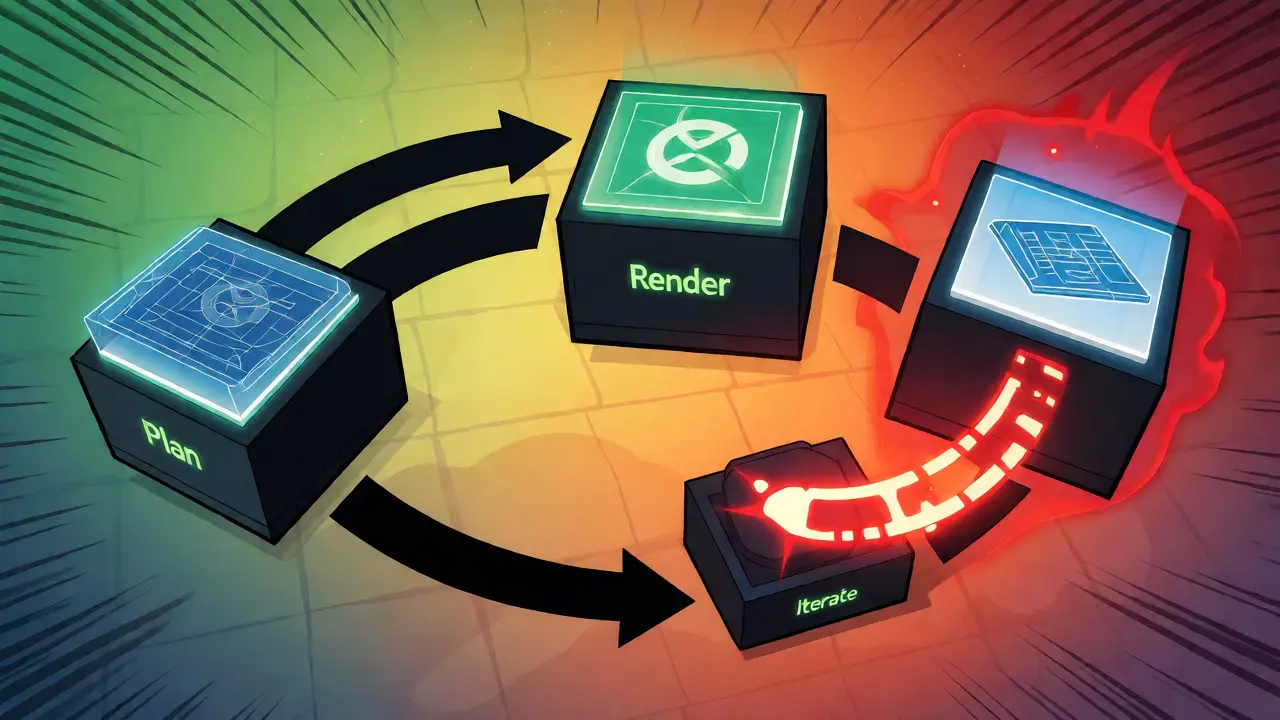
Here’s a practical example. Imagine a Feynman-style diagramming agent. It doesn’t just draw pictures; it synthesizes concepts. Its state machine has four key states: IDEA, PLAN, ITERATE, and RENDER.
- Idea: The agent receives a user query and generates high-level concepts.
- Plan: A coding agent translates those concepts into a diagram-as-code format (like Mermaid or Graphviz).
- Iterate: A scoring mechanism evaluates the rendered diagram against quality thresholds. If the score is low, the system loops back to
PLANwith feedback. - Render: The final image is generated and returned.
This loop is crucial. LLMs are imperfect. They make syntax errors. They misunderstand instructions. By adding an ITERATE state with a scoring function, you turn a flaky process into a reliable one. The orchestrator handles the looping logic, not the LLM. The LLM just provides the next attempt based on feedback.
| Feature | Monolithic Agent | Orchestrated Pipeline |
|---|---|---|
| Debugging | Hard. Black box failures. | Easy. Isolate failing node. |
| Modularity | Low. Hard to swap models. | High. Swap individual agents. |
| Control Flow | Implicit. LLM decides. | Explicit. Orchestrator decides. |
| Error Handling | Poor. Cascading failures. | Strong. Localized retries. |
| Complexity | Low setup, high runtime risk. | Higher setup, lower runtime risk. |
Conditional Routing and Tool Management
Static graphs aren’t enough. Real-world workflows are dynamic. Your agent might need to choose between five different search tools based on the query type. This is where conditional routing comes in. Frameworks like LangGraph support ToolRouterEdge components. These edges inspect the output of the previous node and decide the next path.
Take our cybersecurity example again. After the ScanAgentNode finishes, a router examines the results. Did it find web servers? Route to the WebAttackNode. Did it find databases? Route to the SQLAttackNode. This abstraction keeps your core logic clean. You don’t hard-code if-statements inside your LLM prompts. You let the orchestrator handle the branching logic based on structured data.
This approach also helps with resource management. Some tools are expensive. Some take minutes to run. By defining these as distinct states with clear entry and exit criteria, you can implement timeouts, parallel execution, and cost caps. You can even pause the graph, save the state to a database, and resume later. That’s impossible with a simple prompt chain.
Best Practices for Production
Moving from prototype to production requires discipline. Here are three rules I follow:
1. Enforce State Isolation. Agents should not share internal memory directly. They communicate through defined state objects. If Agent A changes a variable that Agent B relies on implicitly, you’ve created a hidden dependency. Use typed schemas for your state. Validate inputs and outputs at every boundary.
2. Implement Deterministic Safety Checks. LLMs are probabilistic. Your workflow must be deterministic. Add validation checkpoints after every major step. If the output doesn’t match the expected schema, fail fast. Don’t let garbage propagate downstream. Use fallback mechanisms-retry with a simpler prompt, switch to a cheaper model, or escalate to a human.
3. Visualize Everything. Non-technical stakeholders won’t read your code. Show them the state diagram. Let them approve the flow. When a bug appears, trace it on the graph. Was it a bad transition? A stuck state? A failed tool? Visualization turns abstract AI problems into concrete engineering issues.
The future of LLM applications isn’t just bigger models. It’s better orchestration. As we move toward multi-agent ecosystems, the ability to manage state and flow will define successful products. Tools like LangGraph and Microsoft Semantic Kernel are maturing rapidly. The barrier to entry is dropping. But the architectural mindset required to use them effectively is still rare. Start mapping your states today. Your future self-and your users-will thank you.
What is the main benefit of using state diagrams for LLM agents?
State diagrams provide explicit control over the agent's workflow. They prevent unpredictable behavior by defining exactly which actions are allowed in each phase of the process. This makes debugging easier, allows for precise error handling, and enables complex logic like loops and conditional branching that simple prompt chains cannot handle reliably.
How does an orchestrator differ from an LLM?
The LLM is the engine that generates text and makes semantic decisions. The orchestrator is the steering wheel and transmission. It manages the flow of control, decides which agent or tool to call next based on the current state, and handles persistence and retries. The orchestrator ensures the system follows the predefined architecture, while the LLM fills in the creative details within that structure.
Can I use LangGraph with non-Python languages?
LangGraph is primarily a Python library. However, Microsoft’s Semantic Kernel offers similar orchestration capabilities for C# and Java. Additionally, many teams expose their Python-based LangGraph services via REST APIs, allowing JavaScript, Go, or other backend services to interact with the orchestrated agents seamlessly.
What happens if an agent gets stuck in a loop?
Good orchestrators implement maximum iteration limits. For example, in a refinement loop, you might set a limit of 3 retries. If the quality score hasn't improved after 3 attempts, the orchestrator forces a transition to a fallback state (like returning the best-so-far result or escalating to a human). This prevents infinite loops and uncontrolled API costs.
Do state diagrams increase latency?
Not necessarily. While there is overhead in managing state and passing data between nodes, the clarity gained often reduces total time spent on retries and corrections. Furthermore, sophisticated orchestrators can identify independent branches in the state graph and execute them in parallel, potentially reducing overall latency compared to a strictly sequential monolithic agent.



Mithilesh Singh
October 2, 2026 AT 07:29Finally someone speaks the truth.!! Most people are too lazy to learn proper engineering principles and just throw prompts at a black box hoping for magic. This is exactly how we should build systems with discipline and rigor. We need structure not chaos in our codebase. If you do not map your states you deserve the bugs that come back to haunt you every single day of deployment. Stop being an amateur and start acting like a professional software engineer who respects their own time and the user's patience.
Lauren Martin
October 3, 2026 AT 12:09The comparison table is reductive and frankly misses the point entirely regarding latency overheads in distributed systems.
You claim orchestrated pipelines have lower runtime risk but ignore the significant serialization costs between nodes which can easily add hundreds of milliseconds per hop depending on your payload size and network topology. Furthermore, the assertion that debugging is trivial ignores the complexity of tracing distributed state across asynchronous boundaries where race conditions become non-deterministic nightmares rather than simple linear failures.
Your definition of modularity assumes clean interfaces exist when in reality coupling often leaks through shared memory schemas or implicit dependencies in tool outputs leading to brittle integrations that break upon minor model updates. The argument for deterministic safety checks overlooks the fact that LLM outputs are inherently stochastic making schema validation insufficient without semantic evaluation layers which themselves introduce further latency and cost variables.
Moreover, the suggestion to visualize everything for stakeholders presumes they understand graph theory concepts when most product managers simply want results delivered quickly without needing to comprehend state transition logic or conditional routing edge cases. Your best practices section lacks concrete metrics on how much performance degradation occurs due to orchestrator overhead versus the benefits gained from isolation making the trade-off analysis incomplete for production-scale deployments handling thousands of concurrent requests.
Ejike Ugwu
October 5, 2026 AT 00:31They are hiding something big here... why would they push us towards complex frameworks if simple ones worked? It feels like a plot to make us dependent on specific tools so we cannot leave their ecosystem once we are locked in. I feel it deep in my bones that this orchestration trend is designed to obscure the true nature of what these models are doing behind the scenes. We are becoming slaves to the orchestrator instead of masters of our own data flow. Be careful with what you trust because once you hand over control to a central driver you lose your autonomy completely forever.