Trying to run a 70-billion-parameter model on a single GPU is like trying to fit an elephant into a compact car. It simply doesn’t work. The memory capacity just isn’t there. This is the core problem facing developers and engineers deploying Large Language Models (LLMs) in production today. As models grow larger, they demand more video random access memory (VRAM) than any single consumer or even enterprise-grade graphics card can provide. That’s where multi-GPU inference strategies come in. Specifically, one technique stands out as the industry standard for making these massive models runnable: tensor parallelism.
If you’ve ever wondered how companies like Meta or Mistral serve billions of tokens per day using clusters of GPUs, tensor parallelism is half the answer. It allows you to split a model across multiple devices so they work together as if they were one giant machine. But it’s not magic-it’s math, communication protocols, and careful engineering. Let’s break down exactly how it works, why it matters, and how you can use it without burning through your budget on unnecessary hardware.
What Is Tensor Parallelism?
At its simplest, tensor parallelism is a model parallelism technique that horizontally partitions neural network layers across multiple GPUs by splitting tensors along the feature dimension. Instead of copying the entire model onto every GPU (which wastes memory), you slice the model up. Each GPU holds only a piece of the puzzle.
This concept wasn’t invented yesterday. It was formally introduced and popularized by NVIDIA Research in their Megatron-LM paper, published in August 2019 by Shoeybi, Patwary, and colleagues. They needed a way to train billion-parameter language models without hitting memory walls. Today, it’s the backbone of inference frameworks like NVIDIA TensorRT-LLM, Hugging Face Text Generation Inference (TGI), and vLLM.
Imagine you have a huge matrix multiplication task. In traditional setups, one GPU does all the work. With tensor parallelism, you split that matrix into smaller blocks. GPU 1 calculates part A, GPU 2 calculates part B, and so on. Then, they combine their results. The key insight? You’re not just dividing the work; you’re dividing the memory load. This enables deployments that would otherwise be impossible. For example, NVIDIA’s April 2024 benchmarks showed that a 70B parameter model could run on four 80GB A100 GPUs using tensor parallelism, whereas a single-GPU setup would need impractical 140+ GB of VRAM.
How It Works Under the Hood
To really get this, you need to look at the math. Neural networks are essentially long chains of matrix multiplications. When we talk about "splitting tensors," we mean breaking those weight matrices along the hidden dimension. There are two main ways this happens:
- Column Parallelism: The input tensor is replicated across all devices. Each GPU computes a partial output based on its slice of the weight matrix. These partial outputs are then gathered together. This is typically used for query, key, and value projection layers (q_proj, k_proj, v_proj).
- Row Parallelism: The input tensor is split across devices. Each GPU processes its chunk and produces a partial output. These partial outputs are summed together. This is common for output projection layers (out_proj).
Let’s make this concrete. Take the OPT-175B model, which has 96 attention heads. If you use 8 GPUs with tensor parallelism, each GPU handles 12 heads. You aren’t replicating all 96 heads on every device. You’re distributing them. According to Insu Jang’s January 2024 analysis, this distribution keeps memory usage manageable while keeping computation balanced.
The catch? Communication. Every time GPUs need to exchange data-whether gathering results from column parallelism or summing results from row parallelism-they incur latency. This is where hardware matters immensely.
The Hardware Reality: NVLink vs. PCIe
You can’t just plug eight GPUs into any server and expect smooth sailing. The speed at which GPUs talk to each other determines whether tensor parallelism speeds up your inference or slows it down. This is called interconnect bandwidth.
NVIDIA’s documentation highlights a stark difference between NVLink and standard PCIe. NVLink offers 600 GB/s bidirectional bandwidth. PCIe 4.0 offers only 32 GB/s. That’s nearly a 20x difference. Why does this matter? Because communication overhead consumes 15-25% of total inference time in typical setups. AMD’s ROCM benchmarking study from April 2024 found that switching from PCIe to NVLink reduces communication overhead by 35%. Without high-bandwidth links, multi-GPU tensor parallelism becomes impractical due to performance degradation.
If you’re building a cluster, don’t skimp on the networking. AWS Neuron SDK documentation notes that tensor parallelism becomes "costly to scale beyond 1 node" because of this exact issue. Standard Ethernet adds 1.2-2.5ms latency per synchronization point, while specialized links like NeuronLink add only 0.3ms. Latency kills throughput.

Tensor Parallelism vs. Other Strategies
Tensor parallelism isn’t the only game in town. You might hear about pipeline parallelism or data parallelism. How do they compare?
| Strategy | How It Splits the Model | Best Use Case | Major Drawback |
|---|---|---|---|
| Tensor Parallelism | Horizontally splits layers (weights) | Single-node, low-latency inference | High communication overhead per layer |
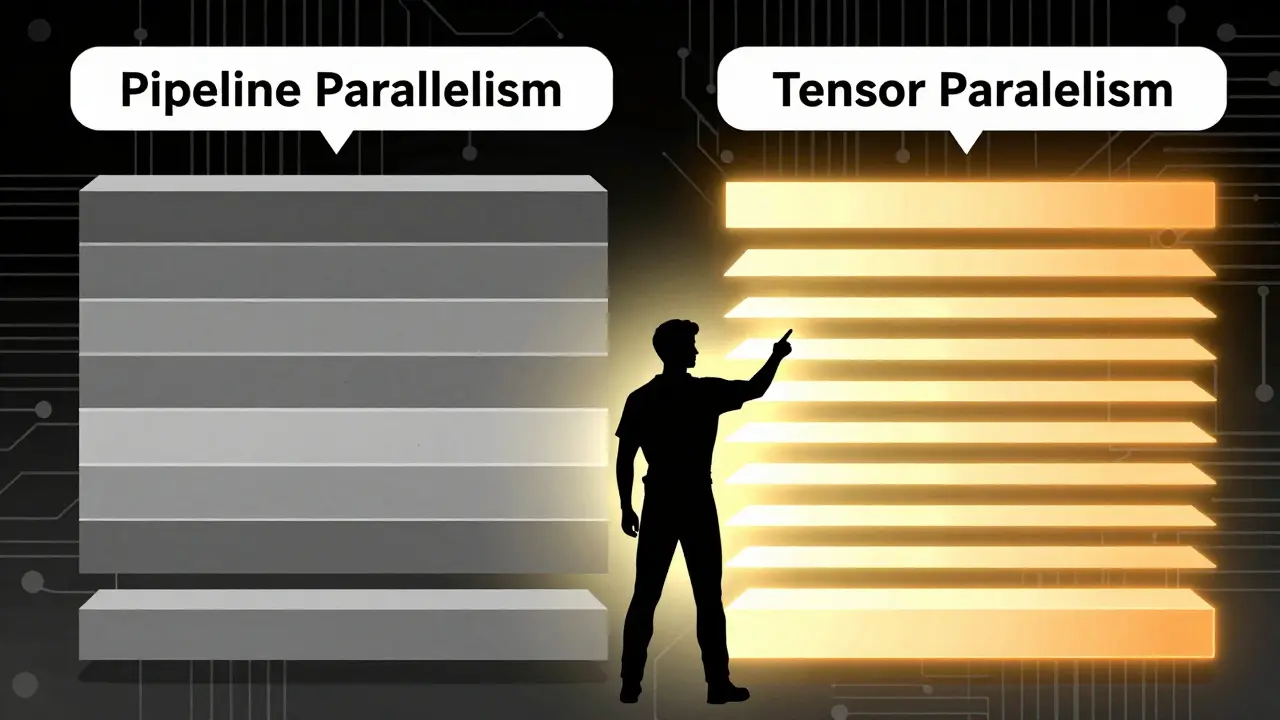
| Pipeline Parallelism | Vertically splits layers (sequence) | Multi-node, large batch training | Pipeline bubbles reduce GPU utilization by 30-60% |
| Data Parallelism | Replicates full model on each GPU | Increasing throughput/batch size | Does not help with memory limits for large models |
Pipeline parallelism cuts the model vertically by layers. Layer 1 runs on GPU 1, Layer 2 on GPU 2, etc. While this avoids some communication costs, it creates "pipeline bubbles." Carnegie Mellon University’s May 2023 study showed these bubbles can reduce GPU utilization by up to 60%. Tensor parallelism avoids bubbles but pays for it with higher per-layer communication costs. That makes tensor parallelism superior for latency-sensitive applications, like real-time chatbots, but less efficient for very wide models where communication dominates compute.
Data parallelism is different again. It replicates the entire model on every GPU. This helps you process more requests simultaneously (higher throughput) but doesn’t solve the memory problem. If your model doesn’t fit in one GPU, data parallelism won’t help you fit it anywhere.
Performance Metrics and Scaling Efficiency
Does adding more GPUs linearly speed up inference? Unfortunately, no. You’ll hit diminishing returns quickly. AMD’s ROCM team reported that a TP=4 configuration (4 GPUs) typically achieves a 3.2x speedup compared to single-GPU execution for 13B parameter models. That’s close to linear, but not quite. At TP=8, efficiency drops further.
Why? Because of sublinear scaling. As you add GPUs, the communication volume grows faster than the compute benefit. Google Research noted in February 2024 that "tensor parallelism's synchronization points become increasingly problematic as model width grows." Beyond 8 GPUs, pure tensor parallelism often stops being cost-effective unless you switch to hybrid approaches.
However, within a single node (like an 8-GPU DGX system), tensor parallelism shines. NVIDIA’s Chief Scientist Bill Dally stated in a March 2024 NeurIPS keynote that "tensor parallelism is non-negotiable for models above 20B parameters." Stanford’s Center for Research on Foundation Models backed this up, reporting that 92% of production LLM deployments use some form of tensor parallelism as of June 2024.
Implementing Tensor Parallelism in Practice
So, how do you actually set this up? You don’t need to write distributed code from scratch anymore. Major frameworks handle the heavy lifting.
If you’re using vLLM, you simply specify the tensor parallel size. For example, running `--tensor-parallel-size 4` tells the engine to split the model across 4 GPUs. Hugging Face’s TGI uses a similar `--tensor-parallel-size` parameter. The rule of thumb? Match the tensor parallel degree to your GPU count. If you have 4 GPUs, use TP=4.
But beware of pitfalls. Debugging communication deadlocks accounts for 32% of reported issues in vLLM’s GitHub tracker. Common errors include "allreduce timeout errors" when TP exceeds 4 on slower networks. To fix this, you often need to adjust NCCL timeouts and ensure topology-aware process placement. NVIDIA’s Deep Learning Institute reports that 68% of engineers require formal training to implement this correctly. It’s not plug-and-play yet.
Best practices from Hugging Face’s October 2023 documentation suggest:
- Use FP16 or BF16 precision to reduce communication volume.
- Combine tensor parallelism with quantization (like INT8 or FP8) for optimal memory usage.
- Avoid uneven tensor splits, which can cause incorrect results or crashes.
The Future: Hybrid Approaches and MoE
As models get bigger, pure tensor parallelism hits a wall. Enter Mixture-of-Experts (MoE) models. BentoML’s December 2023 documentation distinguishes between slicing all expert weights (tensor parallelism) and storing complete weights for a subset of experts on each GPU (expert parallelism). Mistral AI’s November 2023 report showed expert parallelism reduces cross-GPU communication by 40-60% for MoE models. This is a game-changer for efficiency.
Looking ahead, Stanford CRFM predicts in their June 2024 report that "pure tensor parallelism will evolve into context-aware hybrid systems." These systems will dynamically adjust parallelism strategies based on request patterns. NVIDIA is already moving this direction with communication-compressed tensor parallelism in TensorRT-LLM 0.5, reducing communication volume by 50% through FP8 quantization of intermediate activations.
For now, though, tensor parallelism remains the king of single-node inference. It’s essential infrastructure. Forrester rated it as "essential infrastructure" with a 9.2/10 criticality score in February 2024. Whether you’re running Llama-2-70B on consumer GPUs or serving enterprise APIs, understanding how to split those tensors is the first step toward scalable AI deployment.
Can I use tensor parallelism with consumer GPUs?
Yes, but with limitations. You can run models like Llama-2-70B on four 24GB consumer GPUs using tensor parallelism. However, without NVLink, communication overhead via PCIe will significantly slow down token generation speeds compared to enterprise setups.
What is the difference between tensor parallelism and pipeline parallelism?
Tensor parallelism splits individual layers horizontally across GPUs, requiring frequent communication but avoiding idle time. Pipeline parallelism splits the model vertically by layers, which reduces communication but introduces "pipeline bubbles" where GPUs wait for previous stages to finish.
How many GPUs should I use for tensor parallelism?
Generally, match the tensor parallel degree to the number of GPUs in a single node (e.g., TP=4 for 4 GPUs). Scaling beyond 8 GPUs often yields diminishing returns due to communication overhead unless you use hybrid strategies or specialized networking like NVLink.
Does tensor parallelism increase throughput or latency?
Tensor parallelism primarily enables lower latency for large models that wouldn't fit on a single GPU. It doesn't inherently increase throughput (batch size) like data parallelism does. Its main goal is fitting the model into memory while maintaining reasonable response times.
Which frameworks support tensor parallelism?
Major frameworks including NVIDIA TensorRT-LLM, Hugging Face Text Generation Inference (TGI), and vLLM all support tensor parallelism. PyTorch also provides basic support via its Distributed package since version 1.12.