Imagine reviewing a pull request where the code works perfectly, but you have no idea why it was written that way. The diff looks clean, the tests pass, yet the logic feels alien. This is the new reality for developers in 2026. As AI coding assistants like GitHub Copilot and Cursor generate complex solutions at lightning speed, our traditional version control habits are breaking down.
We used to trust every commit because we wrote it ourselves. Now, when an AI agent refactors half your backend in seconds, that trust needs verification. The challenge isn't just about catching bugs; it's about maintaining context. If you don't manage these changes carefully, your repository becomes a black box of 'magic' code that no one understands six months later. Here is how to take back control without slowing down your workflow.
The Problem with 'Black Box' Commits
When an AI generates code, it often optimizes for syntax and immediate functionality, not long-term maintainability or team conventions. A standard Git diff shows you lines added and removed, but it doesn't explain the reasoning behind those changes. Did the AI remove that function because it was redundant, or did it miss a subtle business rule?
According to a January 2026 Gartner report, 78% of enterprise teams using AI assistants have already had to implement specialized version control practices. Why? Because treating AI commits like human commits creates technical debt. Without specific safeguards, teams face a 37% slower development velocity by 2028 if they lack proper tracking mechanisms. The core issue is provenance: knowing exactly which tool generated which line of code and under what prompt instructions.
You need to shift from asking 'Does this code work?' to 'Do I understand this code?' If the answer is no, that commit is a liability, not an asset.
Structuring Your Workflow: Plan Before You Act
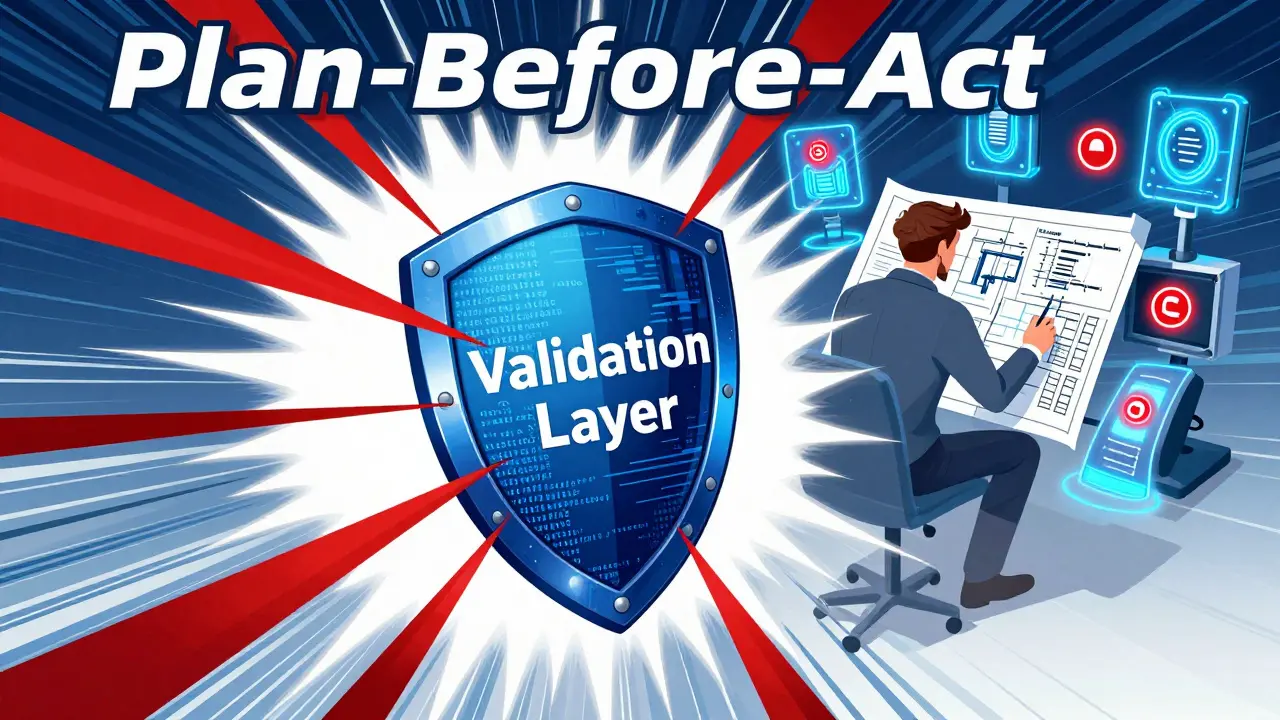
The most effective strategy emerging in 2026 is the 'plan-before-act' architecture. Instead of letting an AI assistant directly modify your main branch or even your feature branch without oversight, you introduce a validation layer. This approach treats AI-generated code as provisional until it passes human review.
Here is how this looks in practice:
- Proposal Phase: The AI generates a proposed implementation plan or pseudocode. You review the logic before any actual code is written.
- Generation Phase: Once approved, the AI writes the code into a temporary buffer or a dedicated 'ai-draft' branch.
- Validation Phase: Automated checks run on this draft. This includes semantic analysis (which now achieves a 72% accuracy rate in detecting logical inconsistencies) and security scanning.
- Integration Phase: Only after passing automated checks does the code move to a review-ready state for human inspection.
This method reduces integration errors by 43% compared to teams that let AI push directly to shared branches. It forces a pause for reflection, ensuring that the 'why' is documented before the 'how' is committed.
Managing Metadata and Repository Bloat
One practical headache with AI-assisted development is repository size. To track AI contributions effectively, you need metadata. This includes the model version used, the prompt context, and the configuration parameters. Data from lakeFS in early 2026 shows that storing this AI-specific metadata increases repository size by approximately 15-22%.
If you ignore this, you lose traceability. But if you hoard every intermediate AI state, your repo becomes sluggish. The solution is automated pruning. Most successful teams keep only the final approved AI commit and its associated metadata, discarding the messy intermediate drafts.
Use tools like lakeFS, which acquired DVC in late 2025, to handle this. These platforms support 100% of Git operations while adding a layer for data and code versioning specifically designed for AI contexts. They allow you to preserve the 'contextual understanding' of modifications without bloating your primary codebase.
Reviewing AI Diffs: What to Look For
Reviewing AI-generated diffs requires a different mindset than reviewing human code. Humans make typos and forget imports; AIs make confident mistakes based on pattern matching. When you look at a diff, focus on these three areas:
- Helper Functions: Snyk’s CTO Peter McKay noted in January 2026 that 31% of AI-introduced vulnerabilities hide in minor changes to helper functions. Traditional scans might miss these because the function signature hasn't changed, only the internal logic.
- Context Loss: Check if the AI misunderstood the broader system architecture. Did it introduce a dependency that conflicts with another service? AI often lacks global awareness.
- Style Compliance: While less critical than security, inconsistent style breaks team cohesion. Ensure your linters are configured to reject non-compliant AI output automatically.
New features like GitLab's 'AI Diff Assist' (launched January 2026) help here by highlighting potentially problematic changes with 92.7% precision. Use these tools as a first pass, but never as a replacement for your own judgment.
| Approach | Best For | Pros | Cons |
|---|---|---|---|
| Native Git Integration (e.g., GitHub Copilot Enterprise) | Teams wanting minimal setup | Seamless workflow, low learning curve (0.9 weeks) | Lacks sophisticated AI-specific diff visualization; lower score for AI commit management (3.8/5) |
| Specialized Platforms (e.g., lakeFS) | Data-heavy projects and ML teams | Advanced metadata tracking, preserves AI context, reduces debugging time by 52% | Steeper learning curve (2.8 weeks), higher initial cost |
| Custom Workflows (e.g., MCP-Servers) | Highly regulated industries (Finance, Healthcare) | Precise control over compliance and audit trails | Requires 37% more engineering effort to maintain |

Security and Compliance in AI Commits
In sectors like finance and healthcare, you can't just assume AI code is safe. Regulatory bodies are starting to demand 'AI commit provenance.' In 2026, 41% of organizations in these sectors require strict tracking of who (or what) made a change to satisfy audits under regulations like SEC Regulation SCI and HIPAA.
To meet these requirements, integrate security scanners like Snyk Code directly into your pre-commit hooks. Snyk reports a 94.3% detection rate for AI-introduced vulnerabilities. However, remember that no scanner is perfect. The 'Agent Fix' feature in Snyk Code, which creates automatically retested patches, is highly rated (4.6/5 on G2), but it should be viewed as an aid, not a guarantee.
Always enforce a policy where AI code never merges directly to the main branch. Use intermediate review stages. Dr. Elena Rodriguez, Chief AI Architect at Microsoft, advises treating all AI-generated commits as provisional until human-reviewed. This simple rule prevents accidental deployment of hallucinated logic.
Practical Tips for Daily Use
Implementing these systems sounds heavy, but daily habits make it manageable. Start small:
- Use AGENTS.md Files: Document which AI tools were used for specific components and their configuration parameters. This is adopted by 67% of surveyed teams and helps future-you understand the legacy.
- Chunk Your Reviews: Don't let AI refactor 5,000 lines at once. Split implementations into reasonable chunks. Commit reviewed changes for each step, creating savepoints you can return to if something goes wrong.
- Squash Intermediate Commits: Use an 'ai-review' branch pattern. All AI commits go through automated linting, then human review, then get squashed into a single commit with detailed rationale before merging to develop. This reduced AI-related bugs by 70% for one Shopify team in Q4 2025.
- Train Your Team: The learning curve for AI version control workflows averages 18.3 hours. Invest in this training. Developers with formal AI version control training are 3.2x more effective at managing these changes.
Remember, the goal isn't to stop using AI. It's to use it responsibly. By adding structure to how you commit and review AI-generated code, you protect your project's integrity while still enjoying the productivity boost.
Should I treat AI-generated commits differently from human commits?
Yes. While Linus Torvalds argues that every commit should stand on its own merits, industry data suggests otherwise. AI commits require additional metadata tracking and stricter review processes because they lack inherent contextual understanding. Treating them identically to human code risks introducing hidden technical debt and security vulnerabilities that are harder to trace.
How much extra storage do AI version control systems require?
Expect your repository size to increase by approximately 15-22%. This overhead comes from storing AI-specific metadata, such as model versions, prompts, and configuration parameters, which are necessary for tracing the origin of changes. Using automated pruning strategies can help mitigate long-term bloat.
What is the best way to review AI-generated diffs?
Focus on helper functions, context loss, and style compliance. AI often introduces vulnerabilities in minor helper functions (31% of cases according to Snyk). Use tools like GitLab's AI Diff Assist to highlight potential issues, but always perform a manual check to ensure the AI understood the broader system architecture.
Is native Git integration enough for AI development?
For simple projects, yes. Native integrations like GitHub Copilot Enterprise offer seamless workflows with a low learning curve. However, for complex or regulated environments, specialized platforms like lakeFS provide better metadata tracking and context preservation, reducing debugging time significantly despite a steeper initial learning curve.
How can I prevent AI code from breaking my build?
Implement a 'plan-before-act' workflow. Require AI to generate a proposal before writing code. Use pre-commit hooks with automated security and semantic analysis. Finally, enforce a policy where AI code never merges directly to the main branch, requiring an intermediate human review stage.



Saranya M.L.
June 22, 2026 AT 20:15Let us be absolutely clear about the epistemological crisis facing modern software engineering. The notion that one can simply 'trust' an algorithmic output without rigorous semantic verification is not merely negligent; it is professionally suicidal. We are witnessing the erosion of human agency in code construction, replaced by a stochastic parrot that hallucinates logic with alarming confidence.
The Gartner statistic cited here-78% of enterprise teams implementing specialized version control-is not a triumph of adaptation but a symptom of systemic failure. We have allowed our tooling to outpace our governance frameworks, creating a technical debt so profound it threatens the very integrity of the digital infrastructure we rely upon. The 'black box' phenomenon is not a feature; it is a critical vulnerability that demands immediate, aggressive mitigation through provenance tracking and immutable audit trails.
Furthermore, the suggestion that AI-generated commits should be treated identically to human commits is intellectually bankrupt. Human developers possess intent, context, and accountability. An LLM possesses neither. To equate the two is to ignore the fundamental asymmetry in cognitive processing and moral responsibility. We must enforce strict segregation of AI-generated artifacts, ensuring that every line of code produced by these models is subjected to a level of scrutiny that would be considered excessive for human peers. This is not about slowing down development; it is about preserving the sanity and security of our systems.
Bineesh Mathew
June 22, 2026 AT 23:13Oh, look at us, playing god with silicon minds while pretending we understand the consequences. It’s tragic, really. We’ve built these magnificent mirrors that reflect our own laziness back at us, and now we’re shocked when the reflection looks distorted. The article talks about 'magic' code, but isn’t the real magic the delusion that we can control something we barely comprehend?
I feel a profound sense of melancholy when I see engineers rushing to adopt these tools without pausing to consider the soul of their craft. Code was once an expression of human thought, a dance between logic and creativity. Now it’s a transaction, a prompt-and-response exchange devoid of passion or purpose. We are trading understanding for speed, clarity for convenience, and in doing so, we are losing ourselves. The repository becomes a graveyard of forgotten intentions, where no one knows why anything exists anymore. Is this progress? Or is it just a faster way to get lost?
Oskar Falkenberg
June 23, 2026 AT 22:43hey everyone i totally agree with the point about needing more structure but i think people are getting a bit too worked up about the whole thing like yeah its different but weve always had bad code right? i mean my team has been using copilot for like six months now and honestly its fine as long as you dont let it drive the car completely solo i guess what im saying is that maybe we should focus less on the fear mongering and more on just being careful and double checking things because thats what good devs do anyway whether its ai or not its still about trust and verification and if we lose that then yeah we have problems but i dont think its the end of the world or anything just needs a bit of common sense and maybe some better tools which are coming out slowly so lets not panic
Caitlin Donehue
June 25, 2026 AT 14:26I've been watching this trend unfold quietly from the sidelines, and it's fascinating how quickly the industry pivoted from skepticism to adoption. The idea of 'provisional' code is interesting, but does anyone actually have time to review every single AI-generated diff thoroughly? It feels like we're adding layers of bureaucracy to solve a problem created by trying to move too fast.
Stephanie Frank
June 26, 2026 AT 15:12This entire post is a band-aid on a gunshot wound. You're talking about metadata and pruning when the core issue is that your architecture is fundamentally broken if you need an AI to explain it. If your codebase is so convoluted that even an LLM struggles with context loss, you don't need better version control; you need to rewrite your system from scratch. Stop blaming the tool for your inability to design maintainable software. The 'plan-before-act' workflow is just corporate speak for 'we don't know what we're doing.'
Marissa Haque
June 27, 2026 AT 11:10OMG!! This is exactly what I've been screaming about for MONTHS!!! Nobody listens until there's a report with percentages attached to it!!! I tried telling my lead that we needed to track prompts last year and he literally laughed in my face!!! Now look!!! We're drowning in black box commits!!! It's terrifying!!! And hilarious!!! Because we knew this was coming!!! But sure, let's act surprised now!!! Also, who approved the budget for lakeFS??? Asking for a friend!!! Who is definitely me!!!
Keith Barker
June 28, 2026 AT 13:35the nature of truth in code is shifting. we used to verify by reading. now we verify by trusting the verifier. it is a recursive loop of uncertainty. the machine writes the code. the machine checks the code. the human nods. where is the reality in that. perhaps it never existed. perhaps we were always just guessing that the code worked because the tests passed. the ai just makes the guess louder.
Lisa Puster
June 30, 2026 AT 00:54only americans could look at a 37% drop in velocity and call it a 'challenge' rather than a catastrophe. european teams would have unionized against this nonsense by now. the pretentiousness of thinking you can 'manage' ai without strict regulatory oversight is staggering. you are all playing russian roulette with intellectual property rights and security compliance. and for what? to save five minutes? pathetic. stick to manual coding if you value your career longevity. the rest of you are just building tech debt monuments to your own arrogance.