
You built a working app in three days. It looks great, the demo went well, and stakeholders are excited. But when you pass the folder to your engineering team, they look at the code and ask one terrifying question: "How does this actually work?" If you used vibe coding is a development approach where developers use AI assistants to rapidly build functional prototypes through conversational prompts rather than traditional line-by-line coding, you know exactly how that feeling hits. You didn't write every line; you guided an AI to do it. Now, those lines are a black box.
The gap between a flashy prototype and production-ready software isn't usually about code quality-it's about context. Without proper documentation, your fast build becomes a slow maintenance nightmare. This guide breaks down exactly what needs to be documented so your engineering team can take over without needing to reverse-engineer your entire thought process.
Why Vibe Coded Code Needs Different Docs
Traditional coding follows a linear path: you design, you code, you test. Vibe coding is iterative and chaotic. You prompt, the AI generates, you tweak, you prompt again. This speed is the whole point-developers report being 70-80% faster in initial prototyping phases. But this speed creates a specific problem: lost intent.
In standard development, comments explain why a complex algorithm was chosen. In vibe coding, the "why" often exists only in your head or in a chat history with an LLM like GitHub Copilot is an AI pair programmer that integrates into IDEs to suggest code completions and generate functions based on natural language prompts. If you don't capture that reasoning, the next developer sees code that works but doesn't understand its boundaries. They might change one variable and break the entire flow because they didn't know the AI optimized for speed over safety in that specific function.
Think of it this way: if you hire a contractor to build a deck, you need the blueprint, not just the finished wood. Vibe coding gives you the finished wood quickly. Your job is to provide the blueprint.
The Core Documentation Stack
You don't need a 100-page technical manual. You need four specific artifacts that bridge the gap between AI generation and human maintenance. These form the minimum viable documentation set for any serious handoff.
- Product Requirements Document (PRD): This is your anchor. Before you even start prompting, define what the app *must* do. Include user flows, edge cases, and locked core requirements. If you change these mid-build without updating the PRD, you create technical debt. A simple
requirements.mdfile saved in the root directory works best. It should answer: Who is the user? What are the main actions? What happens when things go wrong? - Decision Log: This is unique to AI-assisted development. Record every major architectural choice. Why did you choose PostgreSQL over MongoDB? Why did you use React instead of Vue? More importantly, record which AI model version generated the critical components. Did you use GPT-4-turbo or Claude 3.5? This matters because different models have different biases and error patterns. A decision log turns your chaotic chat history into a traceable audit trail.
- Prompt Archive: Save the actual prompts that generated key features. If you had a complex authentication flow, copy-paste the exact prompt sequence that made it work. This allows engineers to regenerate or debug specific modules if needed. It also helps them understand the constraints you imposed on the AI.
- Assumptions & Limitations List: Be honest. Vibe-coded apps often have hidden assumptions. Maybe the AI assumed all users are in the same timezone. Maybe it didn't handle large file uploads. List these explicitly. Tell the engineering team: "Here is where this prototype is fragile."
Capturing the 'Why' in Code Comments
Code comments in vibe-coded projects serve a different purpose than in hand-written code. You aren't explaining syntax; you're explaining intent preservation.
When an AI generates a block of code, add a comment block above it that includes:
- Source Prompt: A brief summary of the instruction given to the AI.
- Model Version: Which LLM created this specific chunk.
- Validation Status: Have you tested this against real data? Or is it untested theoretical code?
- Risk Note: Any known edge cases or potential failure points.
For example, instead of just leaving a generated function alone, add:
// Generated by Claude 3.5 Opus on 08/12/26.
// Prompt: 'Create a rate limiter for API endpoints using Redis.'
// NOTE: Tested with 100 concurrent requests. Unverified for 10k+ scale.
// Assumption: Redis instance is local and low-latency.
This small effort prevents engineers from blindly refactoring code that relies on specific AI behaviors. It transforms opaque blocks into transparent, reviewable units.
Security and Compliance Considerations
If your prototype touches user data, documentation becomes a legal requirement, not just a best practice. With regulations like GDPR and HIPAA tightening, you need to prove how data is handled. AI-generated code can introduce subtle security risks, such as hardcoded secrets or inefficient encryption methods.
Your documentation must include a Security Audit Trail. This involves:
- Dependency Check: List all third-party libraries the AI introduced. Did it pull in an outdated package with known vulnerabilities?
- Data Flow Map: Where does user data go? Is it logged? Is it encrypted in transit? AI often defaults to simple solutions that skip security best practices.
- Access Control Notes: How are permissions managed? Did the AI implement role-based access control correctly, or did it just hardcode admin checks?
According to recent industry surveys, 63% of enterprises now require specific documentation protocols for AI-generated code handoffs. If you're working in a regulated industry, missing this step can delay deployment by weeks.
Workflow: Documenting as You Build
The biggest mistake teams make is trying to document after the prototype is done. By then, you've forgotten half the context. Instead, integrate documentation into your build loop.
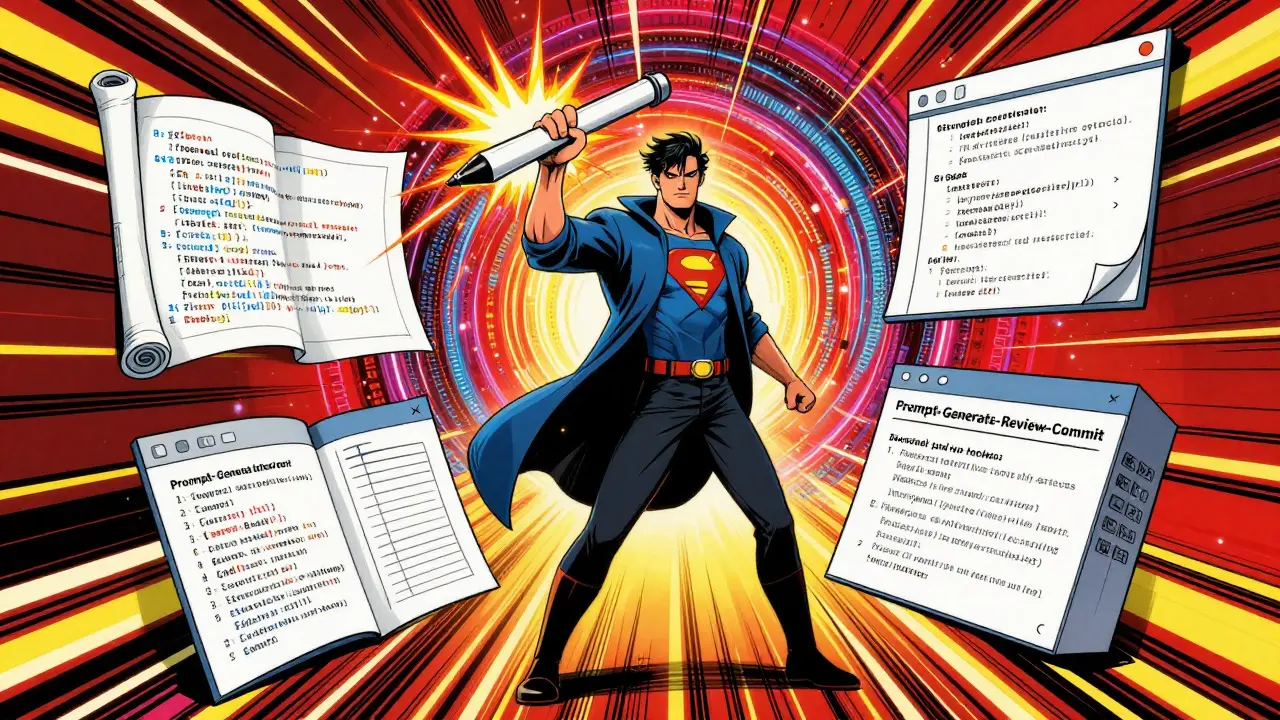
Adopt a "Prompt-Generate-Review-Commit" cycle. Every time you get a satisfactory output from the AI, pause for five minutes. Update your decision log. Add comments to the new code. Save the prompt. Then commit to Git with a meaningful message that references the feature, not just "update code."
| Approach | Time Investment | Engineering Clarity | Maintenance Risk |
|---|---|---|---|
| No Documentation | 0% | Very Low | Critical |
| Post-Hoc Manual Docs | High (Late) | Medium | High |
| Concurrent Lightweight Docs | 15-20% of build time | High | Low |
| Automated Tool-Assisted Docs | 5-10% of build time | Medium-High | Medium |
Allocate roughly 15-20% of your prototyping time to documentation. If you spend 16 hours building, spend 2-3 hours documenting. This ratio ensures the docs stay fresh and accurate without slowing down your creative momentum.

Tools That Help Automate the Process
You don't have to do all this manually. The tooling landscape is evolving to support this workflow. Tools like Cursor is an AI-powered code editor that offers integrated chat, multi-file editing, and automatic documentation generation features for developers now offer prompt history tracking and auto-generated docstrings. While no tool replaces human judgment, these features reduce the friction of keeping logs updated.
Look for tools that offer:
- Prompt History Export: Ability to save chat logs directly to markdown files.
- Auto-Commenting: Features that suggest docstrings based on code structure.
- Version Control Integration: Easy ways to link commits to specific prompts or decisions.
However, don't rely solely on automation. AI-generated documentation can be vague or incorrect. Always review and refine automated outputs before handing off.
Common Pitfalls to Avoid
Even with good intentions, teams stumble over a few recurring issues during handoff.
- The "It Works on My Machine" Trap: Vibe-coded apps often depend on specific environment configurations. Document your local setup precisely. Include
.env.examplefiles and clear instructions on how to replicate your development environment. - Over-Documentation: Don't try to document every trivial change. Focus on architectural decisions, security implications, and non-obvious logic. Engineers prefer concise, high-signal notes over exhaustive logs.
- Ignoring Edge Cases: AI tends to optimize for the happy path. Your documentation must explicitly state which edge cases were *not* handled. This sets realistic expectations for the engineering team.
- Skipping the Security Review: Never assume AI-generated code is secure. Treat it like junior developer code: capable but requiring oversight. Document your security checks explicitly.
Avoid the temptation to treat the prototype as final. It's a starting point. Your documentation should reflect that reality, highlighting areas for improvement rather than pretending perfection.
Frequently Asked Questions
How much time should I spend on documentation for a vibe-coded prototype?
Aim for 15-20% of your total prototyping time. If you spend 10 hours building, allocate 1.5 to 2 hours for documentation. This includes updating the decision log, adding code comments, and refining the PRD. Spending more than this often indicates you're documenting too granularly or struggling with unclear architecture.
Do I need to document every single prompt I used?
No. Only document prompts that resulted in significant architectural changes, complex logic implementations, or security-critical features. Trivial prompts for simple UI tweaks don't need to be archived. Focus on the prompts that shaped the core functionality and system structure.
What is the difference between a Decision Log and a Change Log?
A Change Log tracks *what* changed (e.g., "Updated button color"). A Decision Log tracks *why* something was done (e.g., "Chose CSS variables over Tailwind for theme flexibility due to dynamic branding requirements"). For vibe coding, the Decision Log is far more valuable because it captures the intent behind AI-generated choices, which isn't always obvious from the code itself.
How do I handle security documentation for AI-generated code?
Create a dedicated section in your docs called "Security Audit." List all dependencies added by the AI, note any hardcoded values found, and describe how data flows through the system. Explicitly state which security best practices were verified and which were assumed. This transparency helps engineers prioritize their own security reviews.
Can I use AI to generate the documentation itself?
Yes, but with caution. Use AI to draft initial summaries or docstrings, but always review them for accuracy. AI can hallucinate details or miss nuanced context. Treat AI-generated docs as a first draft, not a final product. Human verification is essential to ensure the documentation reflects the actual implementation.


Jeff Falcon
August 17, 2026 AT 08:30Honestly, the idea of a "Decision Log" is what actually stuck with me here! I've been using AI for like six months now and we never really had a structured way to track why we made certain choices; it was all just vibes, literally. But thinking about it, if you don't know why the AI picked PostgreSQL over Mongo in that specific instance, you're basically gambling when you try to scale it later, which is terrifying.
I tried this last week on a small internal tool and spent maybe an extra hour writing down the prompts that actually worked versus the ones that produced garbage, and it saved my senior dev so much time during the review process because he didn't have to guess what I was trying to do with that weird auth flow. It felt a bit tedious at first, like keeping a diary for your code, but the clarity it brought to the handoff was worth every second of the extra effort involved.
Chris Neal
August 17, 2026 AT 09:46You are missing the point entirely. Documentation is a tax on efficiency. If your AI prompt was good enough to generate working code in three days, the code itself should be self-explanatory or the team should be smart enough to read it without needing a 'blueprint' from a junior who can't even write clean SQL by hand. The real problem isn't lack of docs, it's hiring engineers who need holding hands. Just commit the code and move on.
Vishnu Vardhan Reddy M S
August 18, 2026 AT 01:06Oh, give it a rest, Chris. We all know 'self-explanatory' code is a myth, especially when half of it was hallucinated by an LLM that thinks 'TODO: fix later' is a valid architectural pattern. 😂
The beauty of vibe coding is speed, sure, but the beauty of engineering is longevity. You don't want the person maintaining this in six months to have to reverse-engineer your chat history with Copilot just to figure out why the rate limiter breaks under load. A little context goes a long way, trust me.
Kyle Ware
August 19, 2026 AT 03:22I agree with the sentiment here but keep it simple. Don't overthink the format. I just use a markdown file called `HANDOFF.md` in the root. It has three sections: What works, What is broken, and Why we did it this way. That's it. No fancy logs or archives needed for most prototypes. If the AI generated a complex algorithm, paste the prompt next to it in a comment. If it's just a button click handler, skip it. The goal is to stop the 'what is this doing?' questions, not to write a novel. Keep the signal high and the noise low.
Iva Grekova
August 19, 2026 AT 18:26This is such a practical take! I love how you simplified it. I used to think documentation meant writing JSDoc for every single function, which definitely killed my momentum when I was trying to build fast. Now I just focus on the 'Why' and the 'Risks'. It makes the handoff feel less like a interrogation and more like a conversation. Also, the tip about documenting the environment setup is gold. Nothing slows down a team faster than 'it works on my machine' when the machine is a local Docker container with specific env vars that weren't documented anywhere.
Onyinyechi Nwosu
August 21, 2026 AT 04:12I find the security section particularly important. In my experience, AI loves to hardcode API keys or use outdated encryption methods because it's 'optimizing for simplicity'. We had a prototype where the AI introduced a dependency that hadn't been updated in two years and had a known CVE. We only caught it because we forced a dependency audit as part of the handoff checklist. It’s easy to ignore these things when you’re just building for a demo, but they become critical the moment real user data touches the app. Always double-check the imports the AI suggests.
Brannen Hall
August 22, 2026 AT 17:49Sounds like a lot of work for something that's supposed to be 'vibe' coding. If you have to spend 20% of your time documenting, you might as well just code it yourself manually. The whole point of AI is to bypass the tedium of traditional dev workflows, right? Adding a 'Decision Log' feels like just reinventing the wheel with worse tools. I'll stick to my git commits and hope for the best.
john randall
August 24, 2026 AT 14:55It's not about replacing manual coding, it's about acknowledging that the context lives in the chat window, not in the IDE. Once you close that tab, the intent is gone. Git commits tell you what changed, but rarely why. For vibe-coded stuff, the 'why' is often 'the AI suggested it and it seemed fine', which is useful info for the next dev to know so they don't blindly trust it. It's a small investment to save hours of debugging later. I'm pretty chill about it, but I hate being the one explaining why a random variable exists three weeks later.