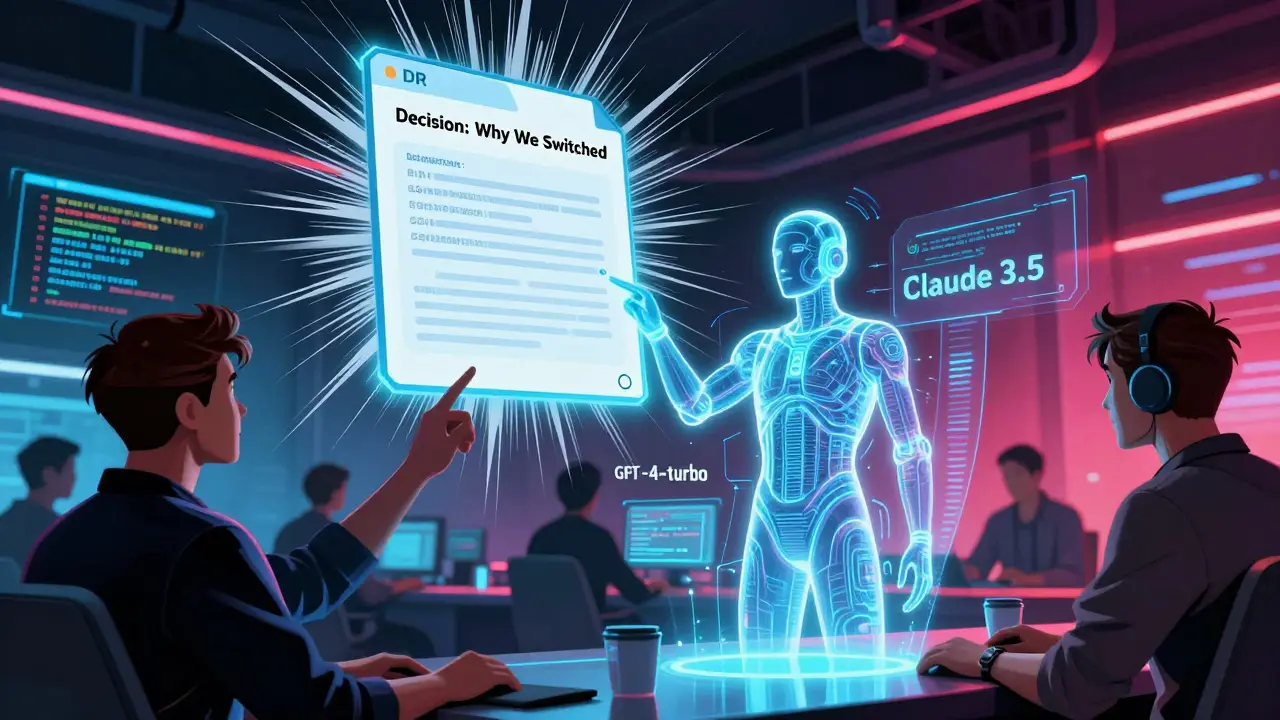
When you're building systems powered by AI, the code isn't the only thing that matters. The decisions behind that code-why you chose one model over another, why you locked in a specific API, why you skipped a cheaper cloud option-are just as critical. And if you don’t document them, you’re setting your team up for chaos.
Enter Architecture Decision Records (ADRs). These aren’t fancy whitepapers or bloated design docs. They’re simple, focused, timestamped records that capture the why behind architectural choices. In AI-driven systems, where models change, data pipelines shift, and performance trade-offs happen daily, ADRs are no longer optional. They’re the backbone of accountability, onboarding, and long-term stability.
What Exactly Is an ADR?
An ADR is a single file-usually a markdown file in your codebase-that answers three questions:
- What decision did we make?
- Why did we make it?
- What did it cost us-or what did it buy us?
That’s it. No fluff. No slides. No 50-page PDFs buried in SharePoint.
For example, an ADR might say: “We chose LangChain over LlamaIndex for our RAG pipeline because LangChain’s modular components allowed faster iteration on prompt engineering. We rejected LlamaIndex due to its rigid indexing structure, which would have delayed testing with real user queries by 3+ weeks.”
Each ADR stands alone. One decision per file. No cramming multiple choices into one record. That’s how you keep them readable, searchable, and useful.
Microsoft and AWS both treat ADRs as non-negotiable deliverables. In fact, 89% of AWS Well-Architected reviews now include an ADR check. If your architecture doesn’t have them, your review fails.
Why ADRs Matter More in AI Systems
Traditional software decisions-like picking PostgreSQL over MySQL-are stable. Once you pick, you stick. AI systems? They’re moving targets.
Today, you’re using GPT-4-turbo because it’s the most accurate. Tomorrow, it’s $0.50 cheaper to use Claude 3.5. The week after, your compliance team flags it as a data leakage risk. What happens to your team when someone asks: “Why did we pick this model again?”
Without ADRs, you’re left with:
- Someone vaguely remembering a Slack thread from three months ago
- A Jira ticket that says “optimize cost” with no context
- A new engineer who assumes the model choice was random
ADRs fix that. They turn tribal knowledge into public records. And in regulated industries like finance or healthcare, that’s not just helpful-it’s required. The UK Financial Conduct Authority now explicitly demands transparent documentation of all technical decisions affecting system behavior. ADRs are the perfect tool for that.
How AI Is Changing ADRs
Here’s the twist: AI isn’t replacing architects. It’s replacing the grunt work.
Before, writing an ADR meant pausing your sprint to write a document. Most teams skipped it. Dennis Adolfi’s 2023 survey found 78% of developers delayed documentation until the context was already fuzzy.
Now, AI tools like Claude Code or GitHub Copilot can scan your codebase, detect architectural changes, and auto-generate a first draft of an ADR. It pulls in:
- Which model was swapped in the config file
- What API endpoints were modified
- What libraries were added or removed
- What performance metrics shifted
That’s 80% of the work done. You just step in to add the why.
At Salesforce, teams use AI to draft ADRs but require a human to answer: “Was this decision driven by cost, speed, compliance, or user experience?” AI can’t tell you that. Only a person who talked to the product owner can.
And here’s the kicker: AI gets the technical trade-offs right 92% of the time. But it only understands business context 63% of the time. That’s why Salesforce’s rule is clear: “AI writes the draft. Human owns the decision.”
What Goes in an ADR? The Real Template
Forget fancy templates. Here’s the minimal version that works:
- Title: A clear, specific name: “Switch from OpenAI to Anthropic for Customer Support Chatbot”
- Status: Accepted, Proposed, Deprecated
- Context: What problem were we trying to solve? What constraints existed? (Cost? Latency? Data residency?)
- Decision: What did we choose? Be specific: “We chose Anthropic’s Claude 3 Haiku via API v1.2”
- Consequences: What changed? Pros and cons. “Cost dropped 40%. Latency increased by 120ms. No PII leaves our EU region.”
- Alternatives Considered: “We ruled out GPT-4-turbo due to data retention policies. We rejected Llama 3 due to lack of fine-tuning support.”
- Date: YYYY-MM-DD
That’s it. No more than a screenful. Store it in your code repo under /docs/adr/. Version control it. Treat it like code.
When ADRs Fail (And How to Avoid It)
Most teams try ADRs. Most fail. Why?
Problem 1: They’re written after the fact.
Writing ADRs after deployment is like taking a photo of your house after the fire. The details are gone. AI helps here. Tools like docToolchain and Structurizr can auto-trigger ADR creation when a pull request changes architecture-critical files. Set up a CI/CD check: if you modify model_config.py or api_gateway.yaml, the system prompts: “Create ADR for this change?”
Problem 2: No one reads them.
ADRs only work if they’re part of the team’s rhythm. At Microsoft, new engineers are required to read the last 10 ADRs before touching any core service. That’s how you prevent the same debates from happening over and over.
Problem 3: They’re treated as sacred scripture.
Some teams believe ADRs must be immutable. That’s wrong. Systems evolve. Sometimes you need to update an ADR-not to erase the past, but to add context. GitHub’s team found that teams who allowed annotated updates (e.g., “Updated 2025-03-12: New data shows 30% lower error rates”) had better outcomes than those who locked files.
Best practice: Keep the original decision intact. Add a new section: “Update: [Date]” with new data. That way, you preserve history while adding truth.
Real-World Impact: What Happens When You Do It Right
One Fortune 500 bank switched to AI-assisted ADRs for their fraud detection system. Before: every new hire spent 3 weeks just figuring out why the system worked the way it did. After: they spent 11 days.
Why? Because every model swap, every data pipeline tweak, every API change had a record. When a new engineer asked, “Why is the model retrained every 48 hours?” they didn’t have to dig through Slack or bug someone. They opened the ADR: “Retraining every 48 hours reduces false positives by 22% based on live feedback loops. Slower cycles increase risk of fraud drift.”
Another team saw a 76% drop in recurring architectural debates. Why? Because instead of arguing “Should we use this model?” they’d say: “Check ADR #27. We already did this. Here’s the data.”
And in compliance audits? They passed with flying colors. Regulators didn’t ask for code. They asked: “Show us your decision trail.” And they had it.
Where to Start
You don’t need to overhaul your whole system. Start small.
- Create a
/docs/adr/folder in your repo. - Use this template: GitHub’s ADR template.
- Choose one recent decision-say, the model you just deployed-and write an ADR for it. Even if it’s late.
- Set up a CI check: if a PR modifies any file in
/models/or/api/, require an ADR link in the PR description. - Introduce AI drafting: Use Copilot or Claude to generate a draft from code changes, then review and add context.
Don’t wait for “the right time.” The right time was when you made the first decision. Document it now.
What’s Next for ADRs?
The future is seamless. Salesforce is testing real-time ADR suggestions during pull request reviews. By Q3 2025, they aim to cut undocumented decisions by 40%.
Gartner predicts 70% of enterprise teams will use AI co-pilots for ADRs by 2026. That’s not hype-it’s inevitable. The cost of not documenting architectural decisions is rising faster than the cost of automating them.
ADRs aren’t about perfection. They’re about clarity. They’re about not losing your team’s hard-won knowledge to turnover, urgency, or forgetting.
In AI systems, where decisions multiply by the hour, your ADRs are your memory. Don’t let your system forget what it learned.
Do I need to write an ADR for every small change?
No. Only for architecturally significant decisions-those that affect system structure, performance, security, cost, or scalability. Changing a variable name? Skip it. Switching from one LLM provider to another? Write an ADR. If the decision could impact another team or cause confusion months later, document it.
Can AI-generated ADRs be trusted?
They’re great for drafting, but not for final approval. AI catches technical changes 92% of the time but misses business context 37% of the time. A human must review every AI-generated ADR to confirm: Is this decision aligned with user needs? Compliance rules? Business goals? Never let AI sign off on a decision.
Where should I store ADRs?
In your code repository, under a folder like /docs/adr/. This keeps them version-controlled, searchable, and visible to everyone who works on the code. Storing them in Confluence, Notion, or Google Docs breaks the link between code and decision, making them easy to miss or lose.
What if my team resists writing ADRs?
Start with automation. Use AI tools to generate drafts from code changes. Then make reviewing the ADR part of your pull request process-not a separate task. Once people see how much time it saves during onboarding or audits, resistance fades. The biggest win? No more “I didn’t know that was the reason” moments.
Are ADRs only for big companies?
No. Even small teams building AI apps benefit. If you’re using LLMs, APIs, or custom models, you’re making architectural decisions. Without documentation, you’re one team member leaving away from chaos. ADRs scale with your team-not against them.
How do I handle outdated ADRs?
Don’t delete them. Mark them as “Deprecated” and write a new ADR explaining why the old one changed. Keep the old record for historical context. This preserves your decision trail and helps future teams understand evolution-not just current state.
Do ADRs replace diagrams or design docs?
No. ADRs explain why. Diagrams show what. Use both. A diagram might show your microservices architecture. An ADR explains why you chose microservices over a monolith, what trade-offs you weighed, and what you learned after six months of running it. They’re complementary.


Bill Castanier
December 25, 2025 AT 12:13ADRs are the quiet hero of any AI team. No one talks about them, but everyone relies on them when the shit hits the fan.
Ronnie Kaye
December 26, 2025 AT 21:59So you're telling me the reason we switched from GPT-4 to Claude wasn't because the CTO got a free lunch from Anthropic? Shocking.
Priyank Panchal
December 28, 2025 AT 04:45In India we don't have time for ADRs. We ship fast, fix later. This whole document feels like a luxury for teams with too much time and not enough pressure.
Chuck Doland
December 29, 2025 AT 08:00The structural integrity of architectural documentation is paramount in distributed, high-stakes systems. The formalization of decision contexts via standardized, version-controlled records mitigates epistemic drift and preserves institutional knowledge across personnel turnover. This methodology aligns with established principles of software engineering hygiene and is not merely advisable-it is ethically obligatory in production environments.
Madeline VanHorn
December 29, 2025 AT 19:11Wow. So you wrote a whole essay on writing essays. Congrats. I'm sure the engineers loved reading this during their sprint.
Glenn Celaya
December 30, 2025 AT 16:31ADRs are just corporate theater. I’ve seen teams spend hours writing them while the system burns. AI drafts it, you slap a label on it, and pretend you’re not just delaying the real work. We don’t need records. We need results.
Wilda Mcgee
December 30, 2025 AT 17:48I used to think ADRs were boring paperwork-until I had to onboard someone during a midnight outage. We found the ADR for the model switch buried in /docs/adr/ and fixed the bug in 12 minutes. Now I make sure every new hire reads the last five before touching code. It’s not documentation-it’s insurance.
And yes, AI drafts are lifesavers. I let Copilot write the first pass, then I add the real why: ‘We picked this because the product manager cried during the demo.’ That’s the part no AI can guess.
Also, storing them in the repo? Genius. I once spent three days hunting for a decision in Confluence. Turned out it was in a deleted page from 2022. ADRs live where the code lives. Duh.
Don’t wait for ‘perfect.’ Write one today for the last thing you changed. Even if it’s just three lines. Your future self will hug you.
And if your team resists? Make it part of the PR checklist. No ADR link = no merge. It’s not punishment. It’s protection.
Small teams? You need this more than big ones. One person leaves, and suddenly you’re all guessing why the chatbot keeps saying ‘I’m not sure’ like it’s in therapy.
ADRs aren’t about being perfect. They’re about not being lost.
Chris Atkins
December 31, 2025 AT 19:27ADRs are just common sense dressed up as a process. If you’re making big calls, write it down. No need to overthink it. I use a sticky note and throw it in the repo. Works fine.
Jen Becker
January 1, 2026 AT 04:21Ugh. Another ‘document everything’ post. Can we just let people do their jobs instead of turning every decision into a corporate ritual?