Remember when building an internal dashboard meant writing hundreds of lines of SQL, debugging Python scripts, and waiting three weeks for the engineering team to get around to it? That era is effectively over. In 2026, operations teams are bypassing traditional development cycles entirely by using vibe coding. This approach lets you describe what you want in plain English-"Show me daily support ticket trends filtered by priority"-and have an AI generate the functional code, deploy it, and monitor it instantly.
Vibe coding isn't just a buzzword; it's a structural shift in how we build software. It sits right between no-code platforms like Zapier and full-stack development. You get the speed of natural language prompts but retain the flexibility, durability, and control of actual code. For operations managers, customer success leads, and logistics coordinators, this means you can automate repetitive tasks and visualize critical data without becoming a certified engineer.
What Is Vibe Coding?
Vibe coding is a development methodology where users describe desired outcomes in natural language, and AI systems generate, test, and deploy executable code or workflows. Unlike traditional coding, which starts with syntax and structure, vibe coding starts with context and intent.
Think of it as having a senior developer sitting next to you who never sleeps. You tell them the business problem, and they write the solution. The key difference here is that the output isn't just a draft-it's production-ready code deployed on serverless infrastructure.
This method relies on advanced Large Language Models (LLMs) integrated into specialized platforms. Instead of dragging and dropping blocks in a visual builder, you converse with the system. You refine the logic through follow-up prompts. If the first attempt misses a nuance, you correct it in plain text, and the AI adjusts the underlying code. This conversational loop dramatically reduces the friction that usually stops non-technical staff from automating their jobs.
Why Operations Teams Need This Now
Operations teams live in the gap between strategy and execution. You know exactly where the bottlenecks are because you're the ones hitting them every day. But historically, fixing those bottlenecks required resources you didn't have. You'd submit a ticket to IT, wait for prioritization, and hope the solution matched your needs.
Vibe coding eliminates that dependency. Here’s why it matters specifically for ops:
- Speed to Value: Engineering teams report cutting coding cycles by 40-60% using AI-driven scaffolding. For an ops team, that means going from idea to working tool in hours, not months.
- Democratization: You don't need to know Python or JavaScript. If you can explain the process clearly, you can build the automation.
- Flexibility: No-code tools often hit a ceiling. When a workflow gets complex-requiring custom API calls or intricate data transformations-no-code platforms break down. Vibe coding generates real code, so there are no artificial limits on complexity.
- Maintenance: Because the AI generates standard code, it’s easier to debug, version control, and hand off if needed compared to proprietary visual workflows.
The barrier to entry has dropped so low that the biggest challenge is no longer technical skill-it's knowing what to automate.
Top Tools for Vibe Coding in 2026
The market has matured significantly since the early days of simple chatbots. Today, several platforms specialize in turning prompts into durable, operational systems. Here are the leaders you should know about.
| Platform | Best For | Key Feature | Code Output |
|---|---|---|---|
| AutoKitteh | Complex, long-running workflows | Durable execution, fault tolerance | Python |
| Zapier Copilot | Quick integrations, SMBs | Iterative prompt refinement | Proprietary/No-code hybrid |
| Cursor | Custom internal apps | Full IDE integration, fast iteration | Multi-language (JS, TS, Python) |
| GitHub Copilot | Developer-assisted ops | Context-aware code completion | Multi-language |
| CodeWords | Conversational workflow building | Focus on context over UI | Workflow-specific code |
AutoKitteh stands out for operations because it handles "durable execution." This means if a server crashes or a network blips during a long-running task, the workflow picks up where it left off. It generates Python code that runs on serverless infrastructure, giving you the reliability of enterprise software with the ease of a prompt.
Zapier Copilot is ideal if you already live in the Zapier ecosystem. It allows you to start with a plain-language prompt and then tweak conditions and branching logic through conversation. It’s less powerful than raw code generation but incredibly accessible for basic CRM syncs and notifications.
Cursor is an AI-first code editor. If your operations team includes someone with light technical skills, Cursor is a powerhouse. It can build entire internal web applications from scratch based on your descriptions, handling everything from database schema to frontend design.
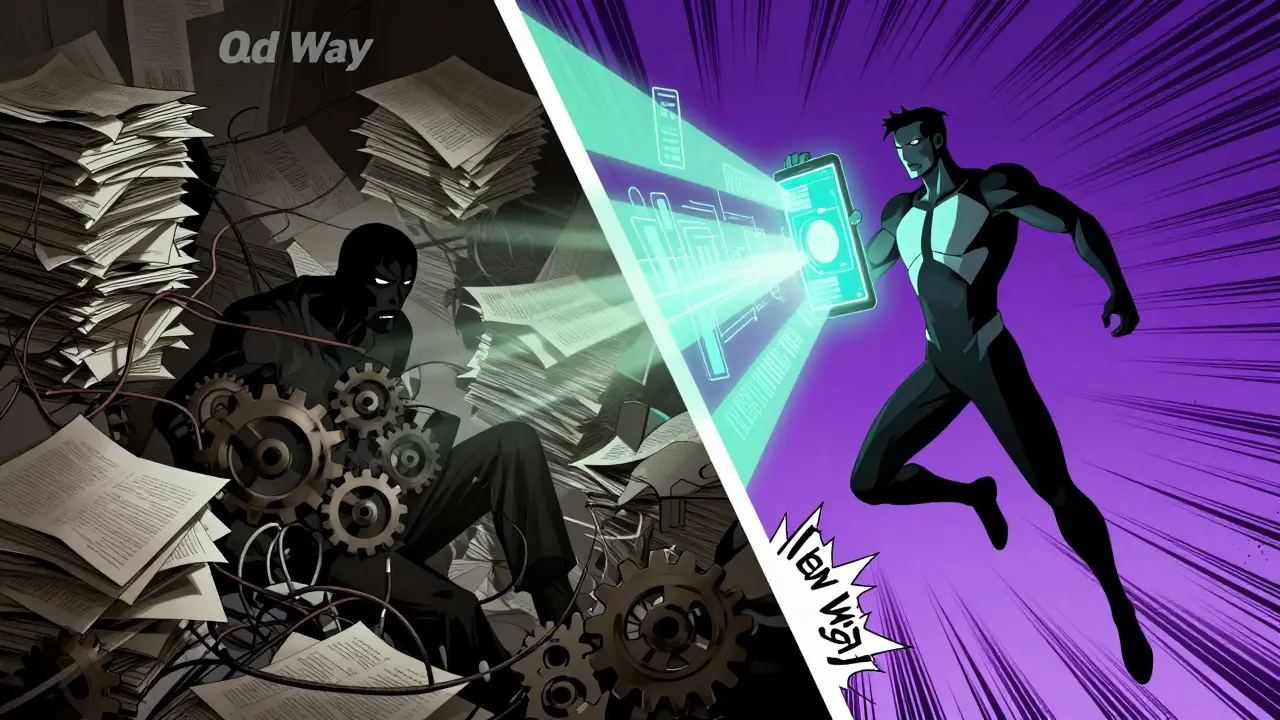
Building Workflow Automations: A Step-by-Step Guide
You don't need a computer science degree to start. You need a clear problem statement. Here is how to structure your vibe coding sessions for maximum success.
- Define the Trigger and Action: Start simple. What event starts the process? What happens next? Example: "When a new row is added to our Google Sheet 'New Leads', send a Slack message to #sales-alerts and create a contact in HubSpot."
- Prompt the AI: Enter this description into your chosen platform. Be specific about field mappings. Instead of "send the data," say "map the 'Email' column to the 'email_address' field in HubSpot."
- Review the Generated Code: Even if you can't read code, look for structure. Does the AI ask clarifying questions? Good AI tools will pause if they detect ambiguity. Answer them.
- Add Conditions (Branching Logic): Once the base flow works, add complexity. "Only send the Slack alert if the lead score is above 50." The AI will update the conditional statements in the code.
- Test and Deploy: Run a test case. Most platforms allow you to simulate the trigger. Verify the output. If it fails, paste the error message back into the chat. The AI will fix it.
Pro Tip: Use "vertical slicing." Don't try to build the entire end-to-end process at once. Build one step, verify it works, then add the next. This prevents cascading errors and makes debugging trivial.
Creating Internal Dashboards with Natural Language
Dashboards are the lifeblood of operations. They tell you if things are broken before customers notice. Traditionally, building these required Tableau experts or heavy SQL knowledge. With vibe coding, you can spin up internal tools rapidly.
Imagine you need a dashboard to track inventory levels across three warehouses. Here’s how you’d prompt an AI tool like Cursor or AutoKitteh:
"Build a simple internal dashboard that connects to our PostgreSQL database. Show a table of current stock levels for SKUs below 10 units. Add a chart showing inbound shipment delays over the last 30 days. Make it responsive for mobile viewing."
The AI will generate the backend queries, set up the database connection, and write the frontend HTML/CSS/JavaScript. You might need to provide API keys or database credentials securely, but the heavy lifting is done.
Key attributes to include in your dashboard prompts:
- Data Source: Specify where the data lives (SQL database, CSV file, API endpoint).
- Visualization Type: Bar charts for comparisons, line graphs for trends, tables for detailed records.
- Filters: "Allow users to filter by region and date range."
- Security: "Ensure only logged-in employees can view sensitive financial data."
These dashboards aren't static images. They are live, interactive applications hosted on the cloud. You can share a link with your team, and everyone sees real-time data.

Best Practices for Sustainable Vibe Coding
Vibe coding is powerful, but it’s not magic. Without discipline, you can end up with "spaghetti code" that breaks when business rules change. Follow these guidelines to keep your automations robust.
1. Document Your Intent
Always keep a record of the original prompt and any subsequent changes. Treat your AI interactions like a version history. If an automation stops working six months from now, you need to know why it was built that way. Some platforms automatically save these logs; if yours doesn’t, copy-paste them into a shared document.
2. Start Small, Scale Up
Don’t try to automate your entire supply chain on day one. Pick a high-friction, low-risk task. Maybe it’s auto-approving expense reports under $50. Once that works flawlessly, move to more complex processes. This builds confidence and catches edge cases early.
3. Validate Data Quality
AI-generated code assumes your input data is clean. If your CRM has duplicate entries or missing fields, your automation will fail or produce garbage results. Always include validation steps in your prompts: "Check if the email address is valid before sending the notification."
4. Monitor and Iterate
Set up alerts for failures. Even the best-coded workflows encounter unexpected errors-a third-party API goes down, a database schema changes. Use the monitoring features in tools like AutoKitteh to get notified immediately when something breaks. Then, use vibe coding again to fix it.
Overcoming Common Pitfalls
Even with AI assistance, mistakes happen. Here’s how to avoid the most common traps.
Hallucinated APIs: Sometimes AI suggests calling an API endpoint that doesn’t exist. Always verify the documentation for the services you’re integrating. If the AI says "Use the /update_user endpoint," check the provider’s docs to confirm it exists and what parameters it requires.
Over-Complication: It’s tempting to ask for too much in one prompt. Break complex requests into smaller chunks. If you’re building a dashboard, ask for the data connection first, then the table, then the charts. Iterative refinement yields better results than monolithic prompts.
Security Oversights: Never paste sensitive credentials directly into public AI chats. Use environment variables or secure secret management tools provided by your platform. Ensure your generated code follows security best practices, such as sanitizing inputs to prevent injection attacks.
The Future of Ops: Agentic Workflows
We’re moving beyond simple automation into agentic workflows. An agent doesn’t just execute a script; it makes decisions. Imagine an AI agent that monitors your server logs, detects a performance dip, checks recent deployments, and rolls back the problematic release-all without human intervention.
Vibe coding is the gateway to this future. By describing the desired outcome-"Keep uptime above 99.9%"-you’re defining the goal for an intelligent system to achieve. As LLMs become more capable, the gap between intent and execution will shrink further. Operations teams that adopt vibe coding now will be years ahead of those still relying on manual processes or rigid legacy systems.
The technology is here. The tools are accessible. The only question left is: what will you automate first?
Is vibe coding safe for enterprise use?
Yes, but with proper governance. Enterprise-grade platforms like AutoKitteh and GitHub Copilot offer data privacy controls, ensuring your code and data aren't used to train public models. Always use private instances or enterprise agreements that guarantee data isolation. Additionally, implement code review processes where human experts validate AI-generated code before deployment.
Do I need to know how to code to use vibe coding?
No, you do not need to know how to code. Vibe coding is designed for natural language interaction. However, having a basic understanding of logic (if/then statements, loops) helps you craft better prompts. If you can explain a process clearly to a human, you can likely explain it to an AI vibe coding tool.
How does vibe coding differ from no-code platforms?
No-code platforms rely on pre-built blocks and visual interfaces, which can limit customization and scalability. Vibe coding generates actual code (like Python or JavaScript), offering unlimited flexibility, better performance, and easier maintenance. It also avoids vendor lock-in, as the resulting code can often be exported and run elsewhere.
Can vibe coding handle complex data transformations?
Absolutely. One of the biggest advantages of vibe coding is its ability to handle complex logic that breaks no-code tools. You can ask the AI to merge datasets from different sources, clean inconsistent data formats, and apply sophisticated calculations. Just provide clear instructions on the source structures and desired output format.
What are the costs associated with vibe coding tools?
Costs vary by platform. Many offer free tiers for individual users with limited usage. Enterprise plans typically charge per seat or based on compute resources used (for serverless execution). Compared to hiring dedicated developers or buying expensive enterprise automation suites, vibe coding tools are generally cost-effective, especially for small to medium-sized operations teams.